How to Use Colors In Print To Get People to Buy!

When it comes to commercial printing, color absolutely plays a pivotal role in influencing a product’s appeal, and perceived value; it’s paramount to nail-down the right colors to make your prints pop! Let’s dive into the  world of color in printing, explore topics like color psychology, design flair, and, of course, how it all ties into marketing magic.

The Blueprint Printer Color Selection

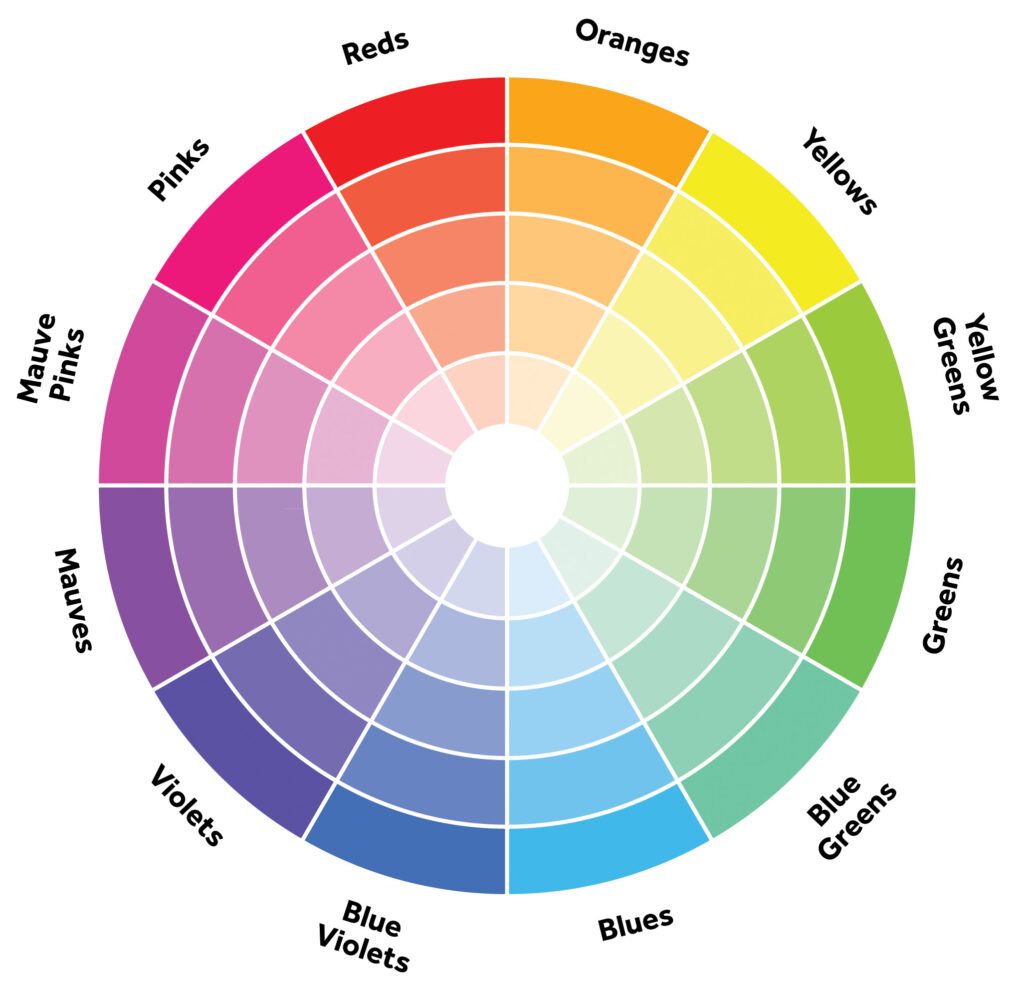
Color psychology is a strategic asset in commercial printing, and the blueprint printer emerges as a crucial ally in this intricate process. Distinct colors evoke distinct emotions—warm tones impart a cozy ambiance, while cool ones exude a touch of formality. Employing this understanding of color psychology enables businesses to select shades that mirror their brand identity and foster engagement.

Utilizing color psychology in printing is not merely an artistic choice—it’s a calculated move. It allows for the emphasis of crucial information, directing attention where it matters, and the creation of memorable products. It’s like bestowing a unique signature upon your brand in a world of uniformity.

To ensure precise targeting of consumers and optimal return on investment, tapping into color psychology during the creation of printed materials is imperative. Considering the preferences of your audience and aligning with your brand objectives results in a blueprint printer palette that resonates effectively.

Choosing the right colors for your printed products resembles orchestrating a gathering—you want the right blueprint printer precision and photo print quality. Less is more, so moderation is key. Warm colors create a comfortable atmosphere, while cool colors introduce a professional touch. Consider the interplay of colors—subdued ones serve as ideal backgrounds, while brighter hues can act as focal points.

Enhance your selection of colors with tones that work harmoniously together for printed goods. Maintaining consistency within similar color families ensures visual coherence even with the inclusion of different colors.

Mastering Design for Commercial Printing

A properly crafted design utilizes the colors in a special way to appeal to the consumer.  Taking into consideration is the layout, typography, and color selection; which all hold significance. A well-designed product with compelling branding can elevate sales and project an image of authenticity. Even the tactile quality and visual patterns of printed materials play a role. When creating for commercial use, keeping in mind your branding objectives ensures a visually appealing and user-friendly outcome.

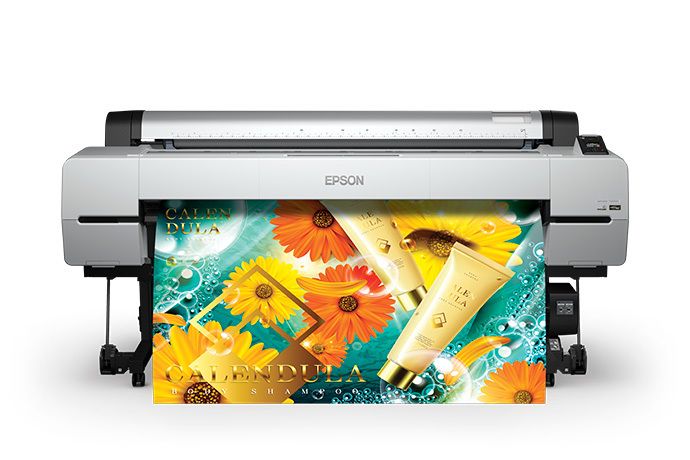
Good design is not just about aesthetics—it’s a language that communicates with your customers. Legible fonts and captivating graphics convey your message swiftly, eliminating the need for advanced reading skills. When dealing with printed documents, the focus should be on readability with font sizes that are easy on the eyes.Epson SureColor T5770D color plotter

Selecting Your Blueprint Printer or Photo Printer

Now, let’s address the importance of choosing the right printer—the photo printer or blueprint printer.  Different printers employ different technologies, such as inkjet systems or a system that utilize colored toner. While researching a blueprint printer or photo printer, it’s imperative to familiarize yourself with what the printer offers: color selections, media options, finishing processes, and the volume that you intend to run through it.

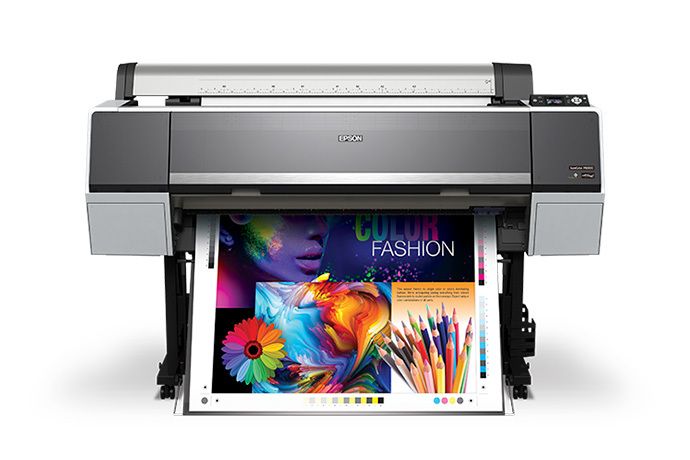
Evaluate the print quality by requesting print samples from a potential photo or blueprint printer. Take into consideration the type of media that those samples are printed on as the higher quality and brightness will significantly impact how the prints look. Prioritize those with superior print resolution and colors that pop! Additionally, take note of how the representative treats you in the sales process; is he/she asking the right questions about your intended use for the equipment. If it becomes a challenge to get the proper attention when you’re looking to buy, it’s safe to say that you won’t get it when you require service.  Also, inquire about their customer support services, as timely assistance can prove invaluable in handling unexpected challenges.Epson SureColor T3170M, desktop printer, best desktop printer,

In Summary

Color selection requires careful consideration to convey the message that will get your customers to buy! Understanding the intricacies of colorful printing and the significance of selecting the right blueprint printer or photo printer is paramount to optimizing your message. If navigating the world of plotters feels overwhelming or if you seek our expert opinion on the ideal photo or blueprint printer for your specific requirements, give us a call at (602) 224-9971 or contact us now. We’re here to assist you in turning your printing aspirations into reality with our blueprint printer expertise!

What’s a Service Bureau? 4 Ways Service Bureaus Help Business

In the dynamic landscape of modern business, effective document management is integral to improving efficiencies and maintaining a competitive edge. Amidst the various solutions available, the often-underutilized potential of Service Bureaus offers a comprehensive approach to document handling. Herein we’ll explore the multitude of benefits businesses can reap by embracing the innovative practices of Service Bureaus.

What is a Service Bureau?

A Service Bureau is a specialized entity that offers comprehensive document management services to businesses. These services encompass everything from document scanning and data conversion to archival and retrieval processes.  Document scanning service bureau’s utilize production grade scanners to digitize all sorts of media.rent large format plotter printer, Digitize blueprints near me, Best large format inkjet printer, Wide format digital printer, Large plotter for rent

The Importance of Document Management

In today’s business landscape, efficient document management is more critical than ever. The ability to handle, organize, and retrieve documents swiftly can significantly impact operational efficiency, collaboration, and overall business success.

Why Utilize A Service Bureau

Efficient Document Handling

Service Bureaus excel in streamlining document processes. By outsourcing these tasks to specialists, businesses can optimize their workflow, reduce manual errors, and ensure the timely handling of documents.

Cost-Effectiveness

The cost-effectiveness of Service Bureaus is a significant advantage. Outsourcing document management allows businesses to allocate resources more strategically, focusing on core operations while benefiting from specialized expertise.  Compared to keeping it in-house; there is the cost savings of production grade equipment and the labor time which can be significant!

Access to Advanced Technologies

Service Bureaus leverage cutting-edge technologies, including large format scanners and blueprint scanners. These tools enhance the efficiency of document handling, ensuring precision and accuracy in various business applications.

Expertise and Quality Assurance

Service Bureaus bring a wealth of expertise. Their dedicated teams are well-versed in document management best practices, offering quality assurance and meticulous attention to detail.rent Inkjet plotter printer, buy Large plotter printer, Wide format printing services near me, Buy large format printer, Large color printer

The Role of Large Format Scanners and Blueprint Scanners

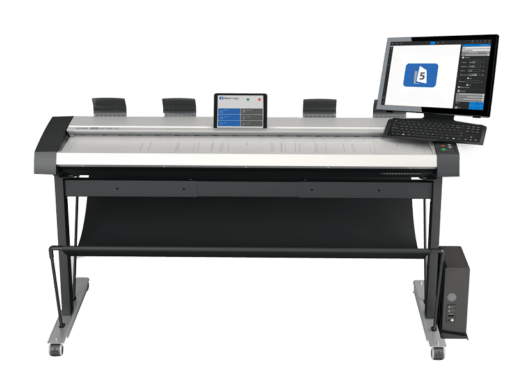
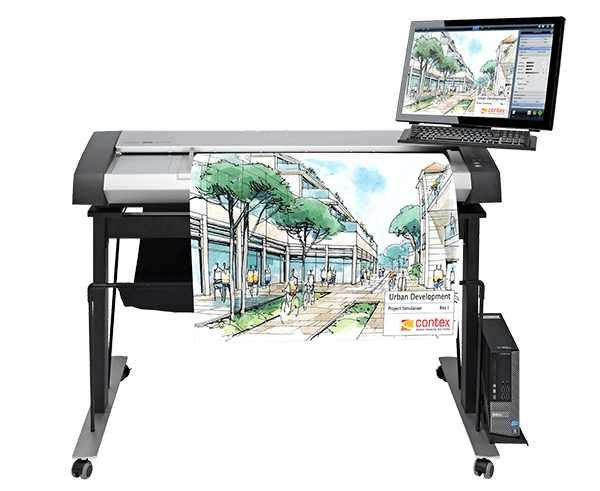
Central to the effectiveness of Service Bureaus are cutting-edge technologies such as large format scanners and blueprint scanners. These tools play a pivotal role in streamlining document processes. Large format scanners and blueprint scanners are particularly beneficial for handling oversized documents, ensuring high-quality scanning, and provide a specialized solution for industries requiring archive storage with precision and accuracy. Large format scanners and blueprint scanners are also very useful for document reproduction. The integration of these scanners into Service Bureau operations facilitates enhanced accessibility and collaboration within businesses.Contex HD Ultra X 6000

Streamlining Document Processes

Large format scanners and blueprint scanners play a pivotal role in streamlining document processes. These tools are adept at handling oversized documents and ensuring high-quality scanning, contributing to overall efficiency.

Enhancing Accessibility and Collaboration

The integration of large format scanners and blueprint scanners enhances document accessibility and collaboration within businesses. This technology ensures that documents are readily available and can be shared seamlessly among team members.

Specific Applications in Business Operations

Large format scanners and blueprint scanners find specific applications in various industries, including architecture, engineering, and construction. They cater to the unique document management needs of these sectors, contributing to improved operational workflows.

Real-world Service Bureau Strategies

To understand the tangible impacts of adopting a Service Bureau approach, it’s insightful to explore real-world examples. Success stories abound, showcasing how businesses, by entrusting their document management to Service Bureaus, have experienced heightened productivity, improved workflow, and overall operational efficiency. Testimonials and case studies from diverse industries underscore the versatility and effectiveness of this document management strategy. We have countless success stories of businesses that have utilized our Service Bureau that highlight the positive impact the result of our services has had on their productivity, efficiency, and Workflow.

Potential Challenges of Utilizing a Service Bureau

While the advantages are clear, businesses may harbor concerns regarding security, confidentiality, and potential technical challenges associated with outsourcing document management.

Concerns About Security and Confidentiality

While considering Service Bureaus, businesses may express concerns about the security and confidentiality of their documents. Reputable Service Bureaus employ robust security measures to safeguard sensitive information.

Technical Challenges

Concerns about proprietary file formats or limitations of software for accessing digitized files is a real concern.  Simply asking for a universally accepted file format like PDF should be offered by any reputable Service Bureau.

Our customers especially appreciate the sampling that we provide at the beginning of all large projects; so that there are no surprises upon project completion.

Cost Considerations

Although a scanner can be purchased relatively inexpensively; that which is saved in the purchase of inexpensive equipment, will cost you in time, frustration, and (lack of) efficiencies.  Also consider the time element; with slower equipment and less experience, doing-it-yourself will likely cost more than out-sourcing to an efficient Service Bureau that will do it right the first time at a truly cost-effective price.

Time-frame to Completion

With experience, a reputable Service Bureau should be able to provide a reasonable time-frame in which to process the work.  For larger projects, a good Service Bureau will provide periodic updates to keep you well informed.

Future Trends and Considerations

Technological Advancements in Document Management

Explore the future of document management with insights into technological advancements. With emerging technologies that are consistently evolving will continue to shape the future landscape of document handling, ensuring businesses maintain efficiencies with digitization and document retrieval.

Evolving Role of Service Bureaus

As the business landscape becomes increasingly digital, Service Bureaus are evolving to meet new challenges. Service Bureau’s can provide invaluable support in navigating the complexities of digitization and modern document management.

In Summary

The advantages of utilizing a Service Bureau for document management are compelling and impactful. From streamlined efficiencies in processes and cost-effectiveness to embracing advanced technologies and trends, businesses can position themselves for sustained success by incorporating this innovative approach. It’s time for businesses to recognize and harness the transformative benefits that Service Bureaus bring to the table, ensuring optimal efficiency in their document management processes

Businesses should strongly consider the transformative benefits of Service Bureaus. By integrating these services into your document management strategy, you can optimize efficiency, enhance collaboration, and position yourself for sustained success in a rapidly evolving business landscape. Embrace the future of document management with a Service Bureau that can meet your needs and embrace a new level of operational efficiency.

Outsourcing  scanning services to a trusted Service Bureau offers numerous benefits. From expert knowledge and specialized equipment to time and cost savings; outsourcing allows you to streamline your operations and focus on your core business. The flexibility, customization options, and added services provided by Service Bureaus further enhance the value proposition. With a commitment to confidentiality, security, and Eco-friendly practices, trusted Service Bureaus provide a reliable and responsible solution for all your document management needs. If you don’t have a trusted Service Bureau to work with, you can certainly send the work to us; we are very affordable! We are extremely efficient and are very professional!  Call us today at (602) 224-9971 or contact us now, we’re happy to help!


Related Services from Overland Printing

CAD Printers are Being Used in 5 Common Alternative Ways

Starting from an idea, Computer Aided Drafting (CAD) software is the primary point to creation.  CAD printers are the pivotal component that offers professionals like architects, engineers, and designers to actually see the drawings and plans as they create, modify, and alter the designs throughout the process. These professionals also utilize large format printing for collaboration on projects and to deliver prints for the client, permitting, bidding, and construction.

Epson SureColor T3170M, desktop printer, best desktop printer,CAD printers, or large format plotters aka blueprint plotters that are designed for CAD professionals are now equipped with some really nice features, and come at cost-effective price points.

Large format plotters have long been thought of for only a particular use; yet now these large format plotters are commonly used in a variety of unique ways to help enhance productivity and efficiencies in a wider range of industries.

Collaboration

Large format plotters utilize printing technology that provides easy access to pertinent information, streamlines communication, and therefore improves the projects workflow.  This aids professionals to plan and execute projects more effectively.

Large format CAD plotters allow professionals to print and view 24”x36” or larger plans; as opposed to viewing PDF documents on a smaller screen.

Adding a wide format scanner provides copying capabilities, and makes it easy to send scanned copies virtually anywhere.  Some scanners also offer the convenience of annotating directly on the digital image, which can be very useful for collaborating.

Alternate Uses

Graphics

Often a blueprint plotter is purchased for a specific purpose; however, once you own one, wouldn’t it be nice to find other uses for it?  Well, a lot of companies feel the same way; often successfully finding other uses for it.  Some large format plotters are equipped to provide top-notch graphics applications.  Companies are realizing that these large format plotters can also be quite versatile in what they can print. So, printing promotional / marketing posters or break-room posters becomes a lot more economical when the blueprint plotter is already in-house.  Additionally the large format plotter can print useful direction and safety signage, and aesthetically pleasing wall art or graphics.

Some particular large format graphics plotters can print on paper as well as on vinyl and and adhesive material; so some companies put these plotters to use for printing banners and decals. Signage can also be customized more easily if you own your own large format photographic plotter.

Project Charts

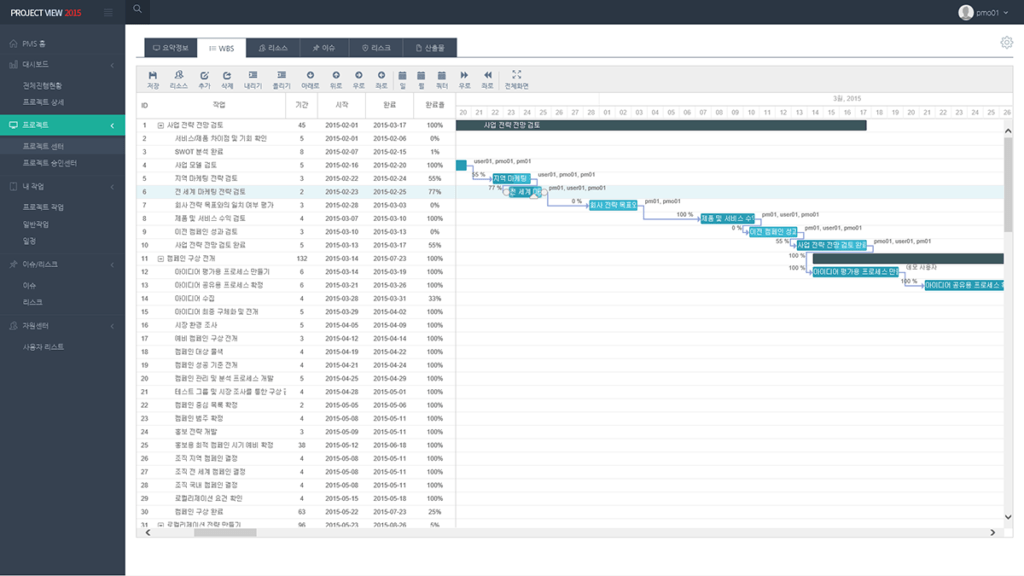
Although most architectural and engineering firms as well as construction companies most commonly purchase large format plotters to print blueprints, technical documents, renderings, and drawings; there are still other uses as well.  These can be project timelines, flowcharts and spreadsheets; which can also be quite helpful with collaboration and for keeping the projects on schedule.

Maps / GIS

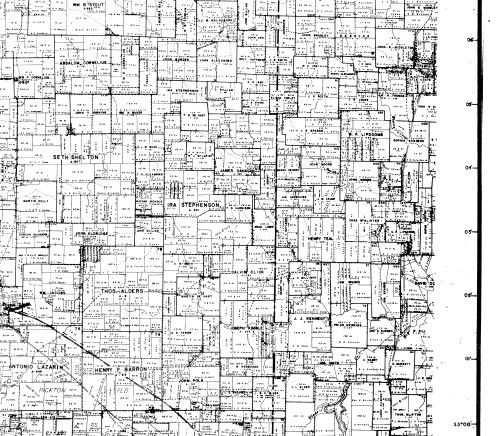
Since a large format plotter prints with precision and accuracy they are ideal for printing maps for engineering or Geographic Information System (GIS) applications, as well for anyone that has a need to print large scale maps.  These can include industries such as: forest services, municipalities, Real Estate, agriculture, mining, and travel.

Emergency Response

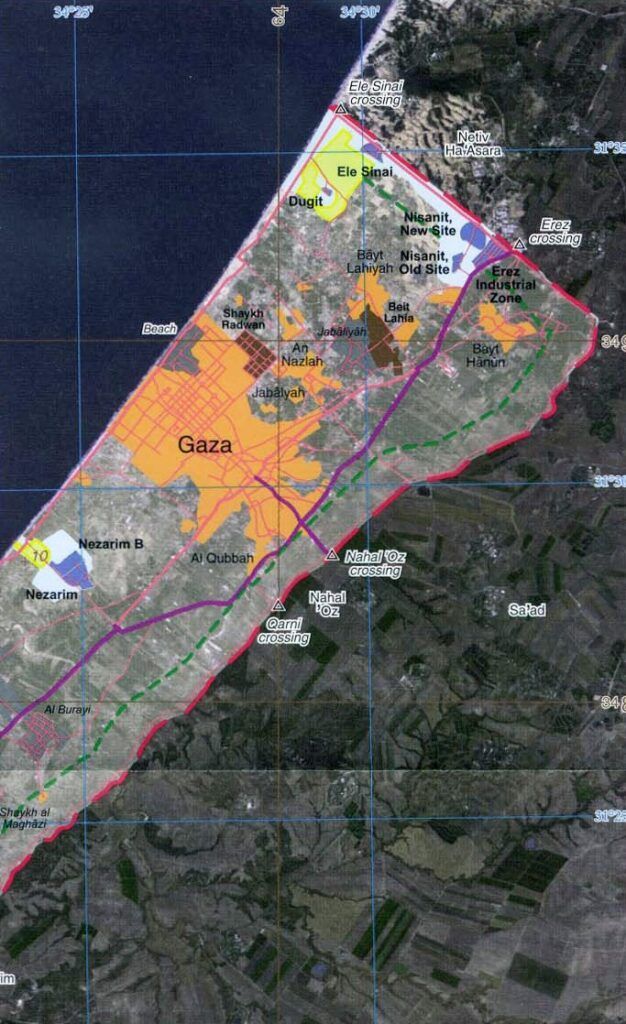
When responding to emergencies or natural disasters such as hostage situations or wildfires, it’s critical for emergency response agencies to have accurately detailed information for planning a safe and effective response.  Large format printers can print large scale plans and maps to properly display the pertinent details.  By looking at large prints emergency responders can pinpoint potential dangers, safe zones, and plan-out possible evacuation routes.  Additionally, the large print outs can show important information such as topography, roads, vegetation, water sources, power & gas lines, and other critical factors that are analyzed and used to assess the hazard and risk for an area.

In Summary

Sure, large format printers are used for blueprint printing, but as we discovered, there are a plethora of other uses for this fine technology as well.  So if it’s for blueprint printing for collaboration, charting the progress of a project, printing graphics, map printing, or for emergency response; finding the right large format plotter is crucial as all large format printers are certainly not the same.  Prior to making any decisions, it’s important to discuss your intended alternative uses with a wide format printer expert, so that you get the proper recommendation. If you’d like to speak with our printer experts please call us at (602) 224-9971 or contact us now, we’re happy to help!

For AEC professionals who need physical output alongside their digital files, Overland Printing’s wide-format construction printing in Phoenix delivers blueprint-quality plans at any scale.


Related Services from Overland Printing

The 4 Essential Elements for Successful Large Format Scanning

Precision in Every Detail

In the realm of large format scanning, precision is crucial. Whether preserving intricate details of architectural blueprints or digitizing expansive artworks, achieving superior results hinges on mastering the four key elements of hardware design, software options, productivity, flexibility, and image quality. To produce the best digital images at the fastest speeds with the highest quality, you need to make certain scanner requirements fit together and work harmoniously. This comprehensive guide lays the groundwork for navigating the complexities of large format scanning, ensuring that every detail is efficiently preserved digitally. With the help from Contex, the largest manufacturer of large format scanners, we’ll explore these four key elements.Contex Scanners, Inkjet plotter printer Large plotter printer, Wide format printing services, Buy large format printer, Large color printer

Hardware Design: Building the Foundation

Wide format printing services, Buy large format printer, Wide format printing servicesLarge format plotter printer, Digitize blueprints, Best large format inkjet printer, Wide format digital printer, Large plotter Inkjet plotter printer, Large plotter printerMany design features built into a blueprint scanner may not be noticeable at first glance. Yet, after you experience utilizing this robust equipment, you begin to notice the difference between a good and not so good scanning experience.

Consider these attributes:

Scanner Type and Mechanism: Large format scanners come in two primary types: flatbed and roll-fed. Flatbed scanners offer versatility for delicate originals, while roll-fed scanners are adept at handling continuous, longer documents, enhancing efficiency in tasks like blueprint scanning.

Size and Versatility: The width of a large format scanner, ranging from 24 to 60 inches, determines its versatility. A scanner’s ability to handle materials of various sizes and dimensions is crucial for diverse scanning needs.

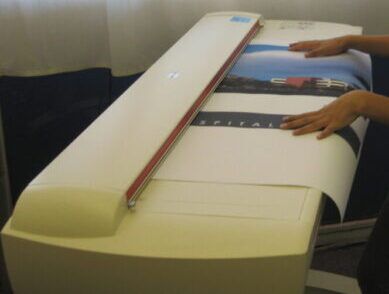
Simplicity and Ease of Use: The scanners mere design can make it easier to operate. One example is the design of the scanners input platform; some blueprint scanners allow the user to put both hands on top of the original to ensure straight easy guiding into the scanner while other blueprint scanners require holding the original between the operators finger tips to feed in.

This video explains five hardware design features that Contex has made to improve the overall ownership experience.

Software Options: The Brains Behind the Operation

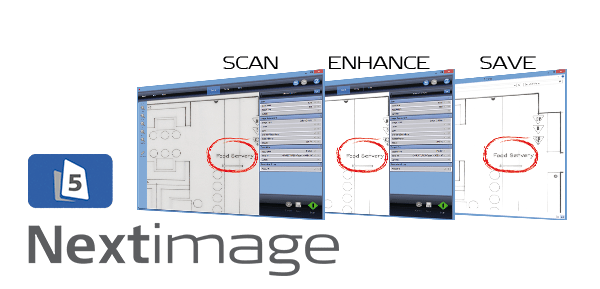
Scanner operating software provides a workflow that makes using the scanner easier, faster and, allows you to make adjustments before and after scanning.  Some software provides tools that allow you to produce a digital image that is a true representation of the original and in some cases will allow you to provide a digital image that appears to be even better than the original.

Scanner Integration

Scanner Operating Software is typically sold with or bundled together with the large format scanner hardware, so the consumer or purchaser of the blueprint scanner most often doesn’t know what they are getting or missing in functionality and ease of use with the software.

Software that offers ease of use for setting up the scanning and allows for post-scanning adjustments are considerations that should be explored prior to making any large format scanner purchase to ensure smooth and efficient workflow.

Features & Capabilities

The scanner operating software’s role in image processing cannot be overstated. Look for features like color correction, image alignment, the ability to save in file format options that fit with your workflow, and ultimately to enhance the final scan quality. Here are some key features that we find to be very helpful:Wide format printing services, Buy large format printer, Wide format printing services

  • setting size
  • setting resolution
  • soft handling for delicate originals
  • setting image type
  • Auto-rotate
  • Auto-align / deskew
  • Smooth / sharpen filter
  • Black/white, or RGB level adjustments
  • Histogram view
  • Multi-page scanning
  • Saving in various file formats
  • Automatic file naming templates

Productivity and Flexibility: Efficiency Unleashed

As stated by Contex, “Productivity and flexibility go hand in hand. To be productive, the scanner must be flexible and conform to your specialized workflows without interruption.”

Scanning Speed: In a world where time is money, scanning speed matters. Faster scanning processes contribute to overall productivity, making it essential, especially in high-volume environments. It really boils down to how quickly and efficiently digital scans can be produced and saved.

Roll-Fed Efficiency: Roll-fed scanners bring a new level of efficiency, allowing for the continuous scanning of longer documents. This feature not only enhances productivity but also provides flexibility in handling different document types.

Image Quality: Capturing Every Nuance

Image quality and accuracy is the result of utilizing a high quality large format scanner with software that offers image enhancement options.

Scanning Technology: There are two distinct types of scanning technology: CIS (Contact Image Sensor) and CCD (Charge-Coupled Device). The type of technology significantly influences the scanning quality. For a detailed explanation of these technologies read our guide on What are CCD & CIS, And How Do They Differ?.

Resolution: Resolution plays a crucial role in capturing fine details. A key factor to be aware of is the scanner’s optical resolution; this will tell you what the blueprint scanner is capable of seeing. To learn more about resolution, read our detailed explanation on What is DPI and How Does it Impact Scanning.

Color Depth: A broader color spectrum, or color depth, contributes to vibrant and accurate scans. This is vital for tasks like preserving the intricate details of artworks, where color fidelity is important.

Summary: Obtaining the Perfect Scan

Achieving the perfect scan involves a harmonious interplay of hardware design, software capabilities, productivity enhancements, and a commitment to superior image quality. Large format scanning becomes easy when these elements align seamlessly.

Are you looking to start you own scanning project? Or, are you trying to improve your scanning processes? We can help you explore reputable large format scanning solutions that prioritize these key elements for your particular needs. Please call our experts at (602) 224-9971 or contact us now, we’re happy to help!


Related Services from Overland Printing

What is a Large Format Scanner? Answered

Large Format Scanner – Defined

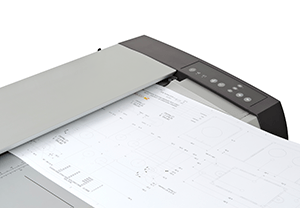
A large format scanner is also known as a blueprint scanner, or a wide format scanner.  It is equipment that makes a digital image from a hard-copy original.  To be considered as a large format scanner, the blueprint scanner is typically a minimum of 24 inches wide.  However, the blueprint scanner can be wider, up to 60 inches wide.  Best large format inkjet printer, Wide format digital printer, Large plotterA large format scanner can be a flatbed scanner or more commonly, a roll-fed scanner.  A roll-fed scanner allows the user to feed in the original and it pulls the original through the wide format scanner.  The scanning technology in a large format scanner is either CIS (Contact Image Sensor) or CCD (Charge-Coupled Device), here is a detailed explanation: What are CCD & CIS, And How Do They Differ?.  The quality of large format scanners can differ, some can be easier to use than others, there can be compatibility issues, and there are varying levels of support.

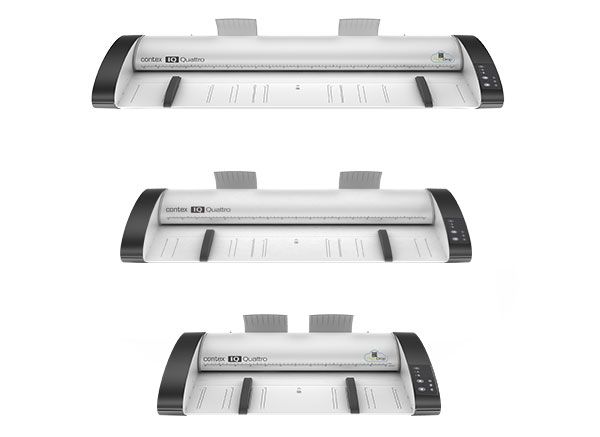
For precision imaging with large format scanners, especially tailored for tasks like blueprint scanning. Let’s discuss the processes and applications that make them work.Contex IQ Quattro Scanners, Wide format printing services, Buy large format printer, Wide format printing services

How Do Large Format Scanners Work?

The Process of Scanning

Large format scanners employ cutting-edge technology to ensure the highest level of detail capture. The scanning process involves the following key steps:

High-Resolution CaptureLarge format plotter printer, Digitize blueprints, Best large format inkjet printer, Wide format digital printer, Large plotter Inkjet plotter printer, Large plotter printer

  • Large format scanners excel in high-resolution capture, preserving intricate details with clarity.
  • This is particularly crucial in tasks like blueprint scanning, where every line and annotation must be accurately reproduced.

Guided MovementLarge format plotter printer, Digitize blueprints, Best large format inkjet printer, Wide format digital printer, Large plotter Inkjet plotter printer, Large plotter printer

  • In a roll-fed scanner, the movement of the original through the scanning process is carefully guided.
  • Roll-fed scanners, offer a seamless experience, pulling the original through the scanner with precision.

Technology Selection: CIS vs. CCD

  • The choice between CIS (Contact Image Sensor) and CCD (Charge-Coupled Device) significantly influences the scanning quality.
  • Explore our guide on What are CCD & CIS, And How Do They Differ? for a detailed explanation of these technologies.

Applications for a Large Format Scanner

Blueprint ScanningBlueprint Scanning Services

  • Large format scanners are the key equipment for blueprint scanning, providing unmatched precision in digitizing architectural engineering and construction plans or drawings.
  • The wide format scanner accommodates even the most expansive blueprints, ensuring all detail are displayed.

Art and Graphic Design

  • Artists and graphic designers benefit from large format scanners in preserving intricate details of artwork.
  • Utilizing a high quality large format scanner &/or incorporating higher resolution can help to ensure that the digital reproduction captures the true essence of the original.

Mapping and GIS

  • In the realm of Geographic Information Systems (GIS), where there is often a lot of intricate detail, high quality large format scanners are utilized to the digitization of maps, providing detailed and accurate representations.

Large Format Scanner Features

Blueprint scanning demands a level of precision that goes beyond standard scanning capabilities.

Versatility in Size

Contex IQ Quattro, Wide format printing services, Buy large format printer, Wide format printing servicesThe width of the large format scanner determines the maximum size that the blueprint scanner can handle.  The shorter side of the original must be at or smaller than the scanners maximum scan width.  For example, if you have a 24 inches wide scanner, and yet you want to scan a drawing that is 36″ x 48″, unfortunately, this would be beyond that which the blueprint scanner can handle.  To scan a drawing that is 36″ x 48″, the minimum scan width would have to be 36 inches wide or wider.

Roll-Fed Efficiency

  • The technology in the rollers enhances efficiency in blueprint scanning, allowing for the seamless scanning of long and detailed documents.
  • Users can effortlessly feed the original, and the scanner expertly guides it through the scanning process.
  • Utilizing a roll-fed large format scanner to scan sets of plans can be easy with the right set-up and process in place; whereby the user mainly focuses on systematically feeding in the paper one after the other.

Enhanced Detail CaptureContex HD Apeiron/42 sample art scan displaying amazing detail!

  • Large format scanners, with guided movement, excel in reproducing every line and annotation with precision.
  • Integrated with scanner operating software can allow for pre-scanning set-up and post-scanning adjustments.  These can be features like:
    • setting size
    • setting resolution
    • soft handling for delicate originals
    • setting image type
    • Auto-rotate
    • Auto-align / deskew
    • Smooth / sharpen filter
    • Black/white, or RGB level adjustments
    • Histogram view
    • Multi-page scanning
    • Saving in various file formats
    • Automatic file naming templatesWide format printing services, Buy large format printer, Wide format printing services
  • With full scan functionality and full image adjustment controls scanning becomes easy and can aid to providing pristine digital images.

Quality Variations and Considerations

User-Friendliness

  • The ease of use varies among different large format scanners. Some are designed with intuitive design interfaces, ensuring a smoother scanning experience.
  • If the scanner operating software is easy to use, it can certainly impact the user’s scanning experience.  If the scanner operating software is easy to learn and use, it makes for a more seamless operation.

Compatibility Issues

  • Compatibility with various systems and software can be a factor to consider. It’s essential to choose a scanner that seamlessly integrates into your existing workflow.
  • Make certain that the large format scanner is compatible with your operating system.  Most large format scanners are not compatible with Mac operating systems; this could be an important factor to consider.

Support Levels

  • The level of support provided with large format scanners can differ. Consider the support options available, especially if you are new to large format scanning technology.
  • We have a policy that is unprecedented, in that we provide free phone support for the life of any large format scanner that we sell.  We believe that we should support our customers when they are going to need us the most; this is when difficulty is encountered, but since we do not know when you are going to have difficulty, we make it for the life of the blueprint scanner.

In Summary

A large format scanner is a powerful and useful tool, especially for tasks like blueprint scanning. The combination of advanced technology, versatile design, and meticulous attention to detail makes them an indispensable asset in various industries.

If you have questions about blueprint scanners, if you are in the market for a large format scanner; or if you are seeking help in deciding which specific scanner might be right for your particular needs, call our experts at (602) 224-9971 or contact us now, we’re happy to help!


Related Services from Overland Printing

Successful Small Business Saves Time with this 1 Useful Idea!

When was the last time you went looking for a specific sheet of paper and wasted a ton of time looking for it?  Organized document management can be the root of efficiency for small enterprises. In the realm of blueprints and technical drawings, the transition from paper to digital is a transformative pivot to ultimate organized efficiencies.  And it all starts with scanning documents into a well organized digital file system.  Yet, facing this undertaking can seem intimidating and costly.  So herein we provide small businesses with cost-effective solutions that not only saves on resources but can also save some money too!  Because in the end, we want to enhance accessibility, collaboration, and efficiencies.

The Small Business Advantage: Running a small business often means wearing multiple hats, and the task of handling document management can easily become a cumbersome one. Unlike larger corporations with dedicated departments, small businesses have unique needs when it comes to handling technical documents. Service Bureau scanning caters precisely to these needs, providing a tailored approach that fits snugly into the fabric of small business operations.

Small businesses face distinct challenges when it comes to document management. Limited resources, space constraints, and the need for multi-functionality in documents are just a few of the hurdles. These are real challenges and so you need solutions that are both effective and efficient.

Benefits of Outsourcing Scanning for Small Businesses

Cost Savings

Transitioning to a digital system can yield significant cost savings in the long run. It eliminates the need for physical storage space, eliminates wasted time spent looking for documents, and minimizes the risk of lost or damaged documents.

Moreover, with outsourced scanning services, small businesses can benefit from specialized expertise without the overhead of hiring in-house scanning staff or purchasing expensive scanner equipment and software.

Time Efficiency

Time is a precious commodity for small businesses. Outsourcing blueprint scanning expedites the process of getting it done without investing time or labor resources. In a matter of seconds, you can retrieve the exact document you need, eliminating the frustration of sifting through stacks of paper.

By investing in document scanning, small businesses not only streamline their document management processes but also free up valuable time and resources that can be redirected towards core business activities.

Tailoring Services to Small Business Needs

Customization Options

One size doesn’t fit all, especially for small businesses. Document scanning services can be tailored to match the specific needs and preferences of your unique business enterprise. Whether it’s a particular file format, indexing system, or storage structure, customization ensures that the digitized documents work seamlessly with your existing workflow.

Scalability

As your business grows, so do your document management needs. A noteworthy advantage of outsourcing scanning services is its scalability. Whether you have a handful of documents or an extensive archive, the service can be adjusted to accommodate your evolving needs and requirements.

Having the flexibility to adapt the scanning process to your unique business demands ensures that you’re not only efficient in the present but also well-prepared for future growth.

Finding the Right Service Bureau

Key Considerations

When entrusting your crucial documents to an outsourcing partner, it’s essential to conduct thorough research. Look for a provider with a track record of reliability, security measures, and a clear understanding of your small business’s needs.

Evaluate their expertise in the types of scanning that they do, how they intend to organize the digital output, and inquire about their processes, ensuring is aligns with your specific needs and requirements.

Case Studies

Real-world examples speak volumes. Explore case studies or client testimonials to gain insights into how other small businesses have benefited from the services of your potential scanning partner. This provides tangible evidence of their capabilities and the impact they can have on your operation.

Remember, choosing the right partner is pivotal in ensuring a seamless scanning process that aligns with your business needs and helps to get you on the path to improved organization.

rent large format plotter printer, Digitize blueprints near me, Best large format inkjet printer, Wide format digital printer, Large plotter for rent

Data Security and Compliance for Small Businesses

Confidentiality Measures

The Security of sensitive business documents is another important factor to consider. A reputable Service Bureau will have robust confidentiality measures in place. This includes secure storage protocols, access controls, and possibly implementing encryption methods to safeguard valuable information.

Regulatory Compliance

Different industries have specific regulations regarding the handling and storage of documents. Ensure that your chosen scanning partner is well-versed in industry-specific compliance standards. This guarantees that your digitized documents meet all necessary legal and regulatory requirements.

By prioritizing data security and compliance, you can have peace of mind knowing that your business-critical information is in safe hands.

Integrating Digitized Documents into Small Business Operations

Seamless Integration

The transition to digital documents should be smooth and intuitive. Look for a scanning partner that offers formats compatible with your existing software and systems. This ensures that the digitized blueprints seamlessly integrate into your day-to-day operations.

Maximizing the Benefits

Provide training and resources to your team on how to effectively utilize the digitized documents. This might include tutorials on accessing, editing, and sharing digital documents. By empowering your team, you amplify the impact of the digitization process.

Remember, the ultimate goal is not just to digitize documents but to leverage them for enhanced productivity and efficiency.Your Complete Guide to a Document Management System | IntelliChief

In Summary

Embracing document scanning is more than just a technological shift—it’s a strategic move towards streamlined operations and cost-effective document management for small businesses. By investing in this transformative solution, small enterprises can:

  • Save Time and Money: Say goodbye to hours wasted on manual searches and the costs associated with physical storage.
  • Enhance Accessibility: Instantly retrieve the exact document you need, boosting productivity and efficiency.
  • Facilitate Collaboration: Share and collaborate on digital documents effortlessly, regardless of physical location.
  • Ensure Security and Compliance: Safeguard sensitive information and meet industry-specific regulatory requirements.

In the competitive landscape of small business operations, every minute and resource counts. Document scanning isn’t just an option; it’s an imperative step towards sustained efficiency, growth and success.

Ready to take the leap towards a more efficient and cost-effective document management system? Explore scanning solutions tailored to your small businesses and witness the transformative power of organized efficiency!

We specialize in large format & blueprint scanning.  As any business in the construction related industry utilizes blueprints; our service really helps to clean up and organize these offices.  If you have a scan project, AZ Overland Blueprint provides the topics discussed in this post; our goal is to provide solutions for any wide format scanning need.  Call us now at (602) 224-9971 or contact us today so that we can help you with your scan project, we’re happy to help!


You Just Won a Government Contract to Scan Maps, Now What?

I recently received a call from someone that had won a sizable government contract to scan an archive of maps.  After congratulating him on securing this lucrative government contract for map scanning; we discussed the unfortunate blunders that his company had made.   Without speaking with a knowledgeable industry expert, they purchased two of the least expensive scanners that they could find on the internet!  And he was reaching-out to me for some accessories for those scanners to improve productivity.  Unfortunately, since they had purchased such economical scanners; it hindered their options.  In essence, what they had done was akin to purchasing the least expensive computers for engineers to program a sophisticated project.  For what they saved on the equipment, they are going to spend many times over in labor!

What they should have done is what we are going to discuss herein.

Outsource or Purchase?

So you won this sizable project, great!  Should you look to outsource this project to a large format document scanning service bureau, or should you seek to invest in a large format scanner? If you do purchase a blueprint scanner, make certain that it is the right scanner to efficiently perform the work.  Let’s look at the decision-making process, ensuring that your government contract is not just fulfilled but done so efficiently and cost-effectively.

scanning blueprint plansContex IQ Quattro Scanners, Wide format printing services, Buy large format printer, Wide format printing services

Deciding the Path Ahead

Winning a government contract is a commendable achievement, but the real success lies in the strategic decisions you make moving forward. The first major crossroads is again whether to outsource the project to a service bureau or to bring a blueprint scanner in-house.

Assessing Project Scope and Scale

Outsourcing: Service bureaus are equipped to handle projects of varying sizes. Whether you have a handful of maps or an extensive archive, with the structure and processes in place via a scalable well streamlined solution that can adapt to your needs could be a viable option.

Blueprint Scanner for In-House Use: Consider the capacity speed and functionality of different blueprint scanners. Assess if performing the work in-house by purchasing a large format scanner and hiring the labor aligns with the size and complexity of your project.  If so, obtaining the right scanner is essential.

Budget Considerations

Outsourcing Costs: While outsourcing involves costs, it eliminates the need for upfront investment in equipment; transporting the source material could add to the cost. Evaluate the overall expenses, considering potential savings and added benefits.

Blueprint Scanner Investment: Acquiring a blueprint scanner comes with upfront and ongoing costs. However, ownership might prove cost-effective in the long run especially if there is the potential for future projects.

Compliance and Legal Considerations

Service Bureau: Reputable service bureaus are well-versed in compliance. Ensure they align with government regulations and address legal considerations.

In-House Operations: Check that in-house operations comply with government regulations and outline any legal responsibilities tied to blueprint scanner ownership.

Technology and Infrastructure

Outsourcing Technology: Examine the technology used by service bureaus. Ensure it aligns with the project’s specific requirements.

Wide format printing services, Buy large format printer, Wide format printing servicesBlueprint Scanner Features: Highlight key features of blueprint scanners. For various types of scanning, consider technology compatibility, speed, ease of use, capability of post scanning adjustments, etc.  If there is a need for fast scanning, the need to scan thick material, the need for portability, or other considerations; making the right purchase is absolutely paramount.

HD Ultra ScanStation PRO, Kodak Scanners, Large format printing companies, Blueprint plotter, Large format plotter printer, Digitize blueprintsColortrac SmartLF large format scanner for blueprint and document scanning

Team Training and Coordination

Service Bureau: Evaluate the expertise required for outsourcing is going to be more focused on the project management aspects.

In-House Operations: In addition to project management, training needs for in-house blueprint scanner operation could be another added consideration.

Quality Control Measures

Outsourcing Quality Assurance: Explore how service bureaus maintain quality standards. Discuss their quality control protocols.

In-House Error Correction: It’s not just about getting the material scanned.  Having a plan in place for implementing quality control protocols for error correction with in-house scanning is an important safe-guard.

Challenges and Solutions

Anticipate challenges in outsourcing and in-house scanning. Provide solutions and strategies for overcoming potential hurdles.  Speaking with an informed professional provider should be able to help you with this.

Summarize the key factors to consider in the decision-making process. Encourage a thoughtful approach based on project specifics.

Long Term

What are your goals for the future?  Do you intend to look for future scan projects?  If so, purchasing equipment might be more advantageous.  This project could help pay for the scanning equipment for this project as well as for the future work to come.

Next Steps

In order to make an informed decision, speaking with a scanning industry expert should prove to be very helpful.  They should ask questions about the project parameters and requirements to help you make a prudent and logical decision.

Whether you choose the efficiency of a service bureau or the autonomy of an in-house blueprint scanner, the success of your government contract lies in informed decision-making. Evaluate your project’s unique needs, weigh the pros and cons, and make the choice that aligns with your goals.

Ready to maximize your government contract efficiency? Explore our detailed guide and unlock the full potential of your large scanning project.


Your government contract success story begins with the right choices. Explore blueprint scanner options or discover the advantages of outsourcing to our service bureau. Need assistance? contact us today!  Or, call us now at (602) 224-9971, we want to help you maximize the profitability of your government contract!


Related Services from Overland Printing

Sub-Contractor Wins Bid & (Nearly) Goes Out of Business!

He has been building his three year old small sub-contracting business by biding competitively, providing quality workmanship, no hassle service, and delivering on time.  So, when he submits a bid for a substantial project, and wins, he is elated!  He takes his wife out for a nice dinner to celebrate!   This was going to be the project that puts his company on the map!  This small sub-contractor had just won a competitive bid for a sizable project!  But yet it nearly put him out of business!  Even though based upon the plans that he had, he accurately provided a very fair estimate with a modest profit.

What he didn’t realize was that the plans that the other print shop copied, were not to scale!  So, his bid was too low!  He had underestimated the quantity of material needed for the project!

In the world of construction, precision is paramount. When it comes to working with construction drawings, maintaining the correct scale is crucial. However, there are instances where the drawings scale changes just from being copied.  And when a drawing is intentionally enlarged or reduced this assuredly will change the scale. Herein, we’ll explore the implications of these changes on scale and how they can affect construction projects.  How you can check the scale.  How you can bring out-of-scale drawings back to scale.  And how the sub-contractor fared with this business crippling adversity.

What is a Drawing’s Scale

A drawing’s scale refers to the ratio between the measurements on the drawing and the corresponding measurements in reality. It is a fundamental aspect of construction documentation, allowing professionals to accurately communicate the size, proportions, and spatial relationships of elements within a building or structure.

For example, a scale of 1/4″ = 1′ means that one-quarter inch on the drawing represents one foot in the real world. This enables architects, engineers, and builders to precisely interpret and execute the design.

Maintaining the correct scale is critical to ensure that the constructed result matches the original design intent. Any deviations from the intended scale can lead to a host of problems, including structural instability, non-compliance with building codes, and costly rework.

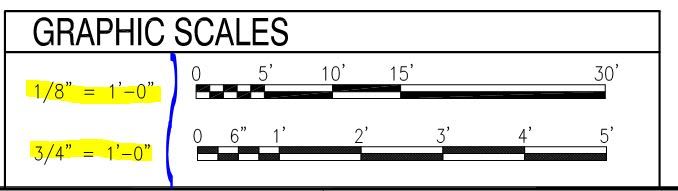
Most construction drawings will stipulate the scale via a legend and diagram.

Anyone submitting a bid for the work has to have drawings that are to scale.  If not, the cost of a take-off scaling blunder could be rather substantial!

In the following sections, we’ll explore the various scenarios in which a drawing’s scale may be inadvertently altered, such as through the copying process, and deliberate actions like enlargement or reduction. We’ll also provide practical tips on how to verify and correct the scale of drawings, ensuring that precision remains at the forefront of every construction project.

How a Copy Can Alter the Scale

Making copies of construction drawings is a common practice for distributing plans to various trades involved in a project. However, it’s crucial to be aware that the copying process itself can introduce changes to the scale. This occurs due to a combination of factors, including the precision of the copying equipment, variations in paper sizes, and slight distortions that may occur during the reproduction process.  Additionally inexperienced operators of equipment can overlook “stretching”, which sometimes occurs.

For instance, when a drawing is reproduced using a photocopier or scanner, there can be a small amount of distortion or scaling error introduced. This means that the dimensions on the copy may not be precisely proportional to the original drawing. In the case of a scale like 1/4″ = 1′, even a minor discrepancy in the reproduction process can lead to significant discrepancies in the final measurements.

To mitigate this risk, it’s advisable to verify the scale of copied drawings before they are used for construction. This can be done by measuring a known dimension on the copy and comparing it to the corresponding dimension on the original drawing. If any discrepancies are identified, adjustments should be made to ensure that the scale is accurate before proceeding with the project. This simple yet crucial step can save a project from potential inaccuracies and costly rework down the line.

Altered Dimensions and Proportions

Deliberate or unintentional enlargement or reductions to a construction drawing inherently leads to changes in dimensions and proportions. This can have significant consequences on the overall design. For instance, a structural element that was originally intended to bear a certain load may no longer meet specifications after a significant enlargement. Conversely, a reduced drawing may result in details that are too small to be safely constructed.

Potential for Inaccuracy

Each time a drawing is copied, yet alone scaled up or down, there is a risk of introducing inaccuracies. Even with the best tools and techniques, there is always a margin of error associated with this process. Therefore, it is crucial to carefully verify and double-check dimensions after any copies are made to ensure that they align with the original design intent.

Compliance with Codes and Standards

Changes in scale can potentially lead to non-compliance with building codes and industry standards. Elements like door widths, stair dimensions, and accessibility features must adhere to specific regulations. Inadvertent enlarging or reducing a drawing without meticulous attention to these details could result in costly rework or legal complications. Impact on Material Quantities and Costs such as enlarging a drawing may result in increased material quantities, while reducing a drawing could lead to reduced material requirements. This can have a direct impact on project budgets and timelines. It is crucial to carefully reevaluate cost estimations and procurement plans after any changes in scale to ensure they remain accurate.

Coordination Challenges

If multiple disciplines are involved in a construction project, changes in scale can lead to coordination challenges. Elements that were originally designed to align seamlessly may no longer fit together as intended. This can lead to conflicts on-site and may require additional effort to resolve.

Quality Control and Verification

When a drawing is resized, it is imperative to conduct thorough quality control checks. This involves meticulously reviewing all dimensions and details to ensure they align with the revised scale. Any discrepancies or inconsistencies must be addressed promptly to maintain the integrity of the project.

How to Check a Plans Scale

Verifying the scale of a construction drawing is a vital step in ensuring the accuracy and integrity of a project. Here are some effective methods for checking a plan’s scale:

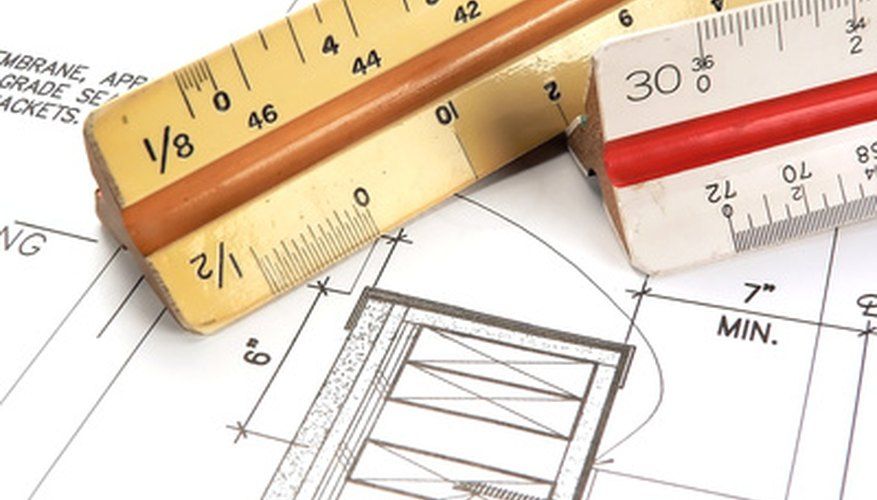
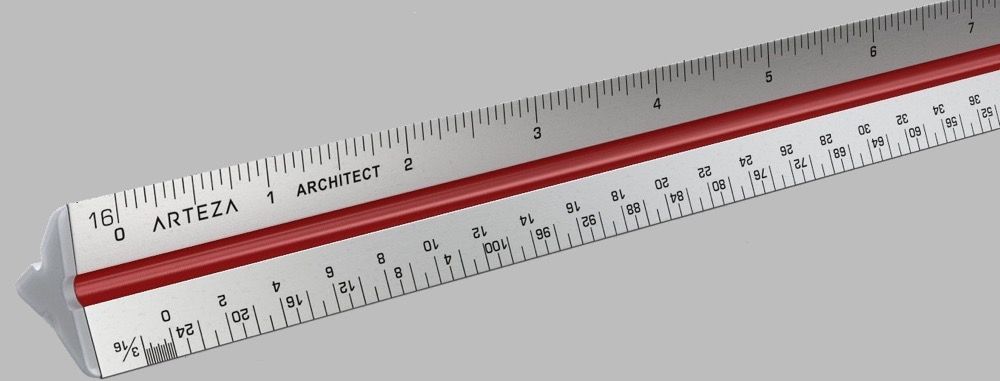
  1. Architectural scaleUse a Scale Ruler: A scale ruler is a specialized tool designed for measuring drawings at different scales. It has multiple calibrated edges, each corresponding to a specific scale ratio. By aligning the ruler with the dimensions on the drawing, you can quickly determine if the scale is accurate.
  2. Measure a Known Dimension: Identify a dimension on the drawing that you are certain about. For example, if there is a known distance between two walls, measure it on the drawing. Then, convert the measurement to real-world units using the stated scale. If the calculated measurement matches the actual distance, the scale is correct.
  3. Compare with Reference Dimensions: If the drawing includes reference dimensions (e.g., the length of a wall or the width of a doorway), verify that they align with the stated scale. Any discrepancies should be investigated and resolved.
  4. Overlay with a Known Template: If possible, overlay the drawing with a known template or physical object of a known size. This can be a printed scale ruler, a standard sheet of paper, or a physical object like a door or window frame. Ensure that the dimensions on the drawing align accurately with the template.
  5. Perform Cross-Checks: Compare various dimensions on the drawing to ensure internal consistency. For example, if the width of a room is stated, ensure that it is consistent with the dimensions of the walls that define it.

Remember, accuracy is so important in construction, and rectifying any scale discrepancies early in the process can prevent costly errors and delays later on. By implementing these methods, you can be confident that the drawing’s scale is correct and that the project will proceed according to plan.

How To Bring Out-of-Scale Plans Back to Scale

Discovering that a construction drawing is out of scale can be a cause for concern, but there are several steps you can take to rectify the situation and ensure accuracy in your project. Here are some effective methods for bringing out-of-scale plans back to their intended scale:

  1. Refer to the Original Source: If possible, obtain the original digital file or master copy of the drawing from the designer or architect. This source is less likely to have undergone any unintended alterations in scale.
  2. Reprint or Reproduce the Drawing: If the drawing was inadvertently altered during reproduction, consider re-printing or reproducing it using a high-quality, calibrated printer or copier. Be sure to select settings that maintain the original scale.
  3. Use a Scale Factor: Calculate the scale factor that was applied to the drawing and apply the inverse to restore it to its correct scale. For example, if the drawing was enlarged by 10%, use a scale factor of 0.9 to reverse the enlargement.
  4. Employ CAD Software: Scan the drawing to create a digital file format, convert it to CAD and utilize CAD software to rescale it accurately. This can be done by selecting specific reference points and adjusting the scale accordingly.Large scanner for sale, Large document scanner for rent, Large format inkjet printer near me
  5. Grid Method: Overlay a grid of known dimensions onto the drawing. Adjust the grid’s size until it aligns with the drawing’s features accurately. This method can help you determine the correct scale.
  6. Perform a Verification Check: Re-measure known dimensions on the drawing and compare them to the original dimensions. If discrepancies persist, make necessary adjustments until the measurements align correctly.
  7. Consult with Professionals: Seek guidance from architects, draftspersons, or experienced professionals who are well-versed in handling construction drawings. They may offer insights or specialized techniques for restoring scale.
  8. Consider a Professional Reproduction Service: If precision is critical, consider using a professional reproduction service equipped with high-quality equipment and expertise in handling construction drawings, like us:Large format plotter printer, Digitize blueprints, Best large format inkjet printer, Wide format digital printer, Large plotter

Remember, restoring a drawing to its correct scale requires meticulous attention to detail and precision. Regular verification checks and collaboration with knowledgeable professionals can help ensure that your project proceeds accurately and according to plan. By following these steps, you can effectively address and rectify any scale discrepancies in your construction drawings.

In Summary

While there may be valid reasons for enlarging or reducing construction drawings, it is key to check the accuracy of the scale. Changes in scale can have far-reaching implications on a construction project, From altering dimensions and proportions to potentially impacting compliance with codes and standards. By recognizing the potential challenges and implementing rigorous quality control measures, professionals in the construction industry can navigate changes in scale effectively and ensure the success of their projects.

The Rest of the Sub-Contractor’s Story

The morning after being awarded, the sub-contractor ordered the initial material and lined-up the labor.  On a much later site-visit to check on the progress he realized that he was going to run short on material.  Upon further investigating, he realized that he had also underestimated the labor time.

The sub-contractor realized what had happened and that it had actually been his mistake.  The original plans were to be plotted on 36″x48″ sheets, and without realizing it, he had requested a common size of 24″x36″ to use for his take-off and estimate.  The print shop had not questioned the request and he inadvertently looked past the legend’s scale when doing his take-off.

He was going to be more than midway through the project and had to make a decision.  Taking on this project could afford him the opportunity to do work for the largest most reputable General Contractor (GC) in town; it was well known that if he provided good workmanship and delivered timely with no issues that this GC would invariably provide him with a lot more work in the future.  He had signed a contract and realized that failing to perform would certainly have ruined his business.  Luckily he had passion for his business, a no quit attitude, and a home equity line of credit that he was able to utilize to purchase the additional material.  He also rolled-up his sleeves and worked long hours ahead of, along side of, and after his crew.  He also significantly reduced his expenses and had completely dwindled his available funds.

Fast-forward to today, the sub-contractor still does work for that GC, he has a very successful small business, and ever since has had us do all of his printing “to scale”!  We even spot check his prints to be assured that the scale is correct!

If you don’t have a trusted Blueprint Shop to work with, you can certainly send the work to us; we are very affordable! For sub-contractors pursuing federal subcontracting opportunities, we offer SDVOSB-eligible printing and scanning support. We are extremely efficient and are very professional!  Call us today at (602) 224-9971 or contact us now, we’re happy to help!


Related Services from Overland Printing

The 4 Best Large Format Scanners for 2026

Before we delve into the top contenders for large format scanners in 2026, let’s establish some criteria for what constitutes a “large format” scanner. While some manufacturers might define it as a device capable of handling documents larger than the standard letter size (8 1/2″ x 11″), others reserve the term for scanners designed specifically for architectural or engineering plans, blueprints, maps, artwork, and similar oversized materials.

In this post, we’re setting a clear parameter: a large format scanner must be capable of scanning documents that are 24″x36″ or larger. Furthermore, we’ll be presenting our top picks in four distinct categories: fine art scanner, flatbed scanner, CCD scanner, and CIS scanner. For clarification of CCD & CIS technology please read our post What are CCD & CIS, And How Do They Differ?.  We’ll also provide our Runner-up picks for each as well.  And we provide our rationale for each.  Links on this post take you to the full product brochure for each scanner.

So here are our top recommendations for 2026:

Best Fine Art Scanner – Contex HD Apeiron/42

HD Apeiron 42 Fine Art Scanner

Why we like it:

It’s the newest CCD (Charged Couple Device) technology, offering contact-free scanning with a table conveyance system, so nothing touches the surface of the artwork.  It has adjustable natural day light LEDs with no UV/IR radiation that provides extremely accurate color matching and very cool 3D effects.  It can scan up to 42″×60″ and 5.1″ height at up to 1200 dpi optical resolution (for more about resolution, please read our post What Is DPI; And How Does It Impact Scanning & Printing?).  It scans at 6 inches per second at 300 dpi, which seems quick, it’s extremely accurate up to 0.1% +/- 1 pixel, it offers an easy to use version of the intuitive NextImage scanner operating software that allows for saving images in most of the widely accepted file formats, and has an adjustable arm to allow the user to rotate the 22” touchscreen monitor.  This Contex HD Apeiron/42 scanner provides exceptional quality and a two year warranty.

What we don’t love:

What’s really not to like!  This scanner offers great quality, is easy to use, and doesn’t compromise the original art work; this is a fine scanner!  Yet, weighing in at 412lbs and at 135.8″×61.3″×62″ (WxHxD) in highest position, this scanner takes up some space and is not conducive to changing its location.  With an MSRP of $43,995 (before the Overland Blueprint discount) this is a considerable investment.

Runner-Up Fine Art Scanner – WideTEK®36ART
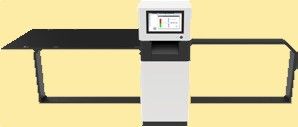
What we like:

This scanner also offers contact-free scanning utilizing CCD technology and LED light source with integrated optical diffusor no IR/UV radiation.  It can scan originals up to 36″×60″×3.9″ and offers an optional table extension up to 87.6″.  It can scan up to 600 dpi optical resolution.  And can scan at 1.66 inches per second at 300 dpi.

What we don’t like:

Priced at approximately the same price as the Contex HD Apeiron/42, the scan area is smaller, the technology doesn’t seem as robust, it has significantly lower optical resolution, and scans at 3.6 times slower.
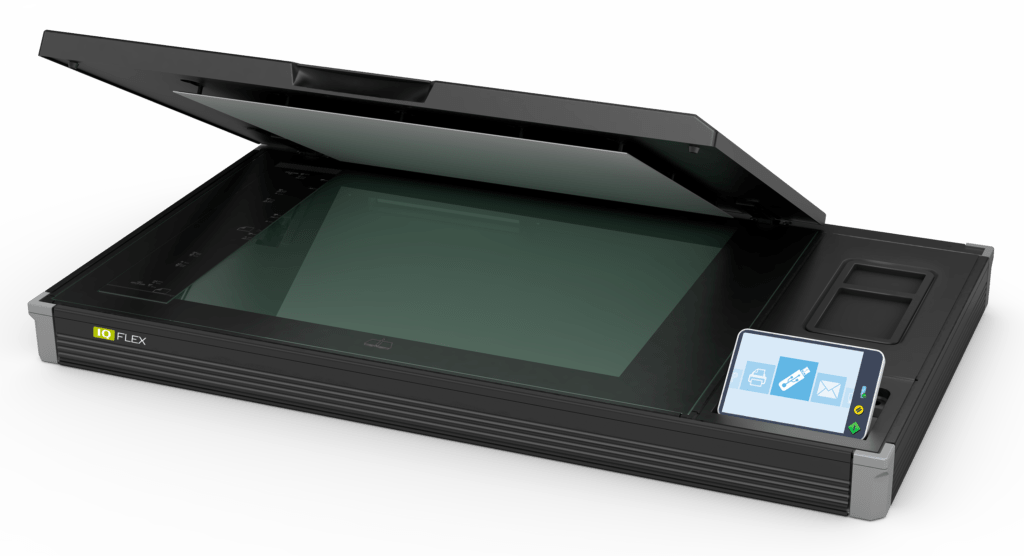
Best Flatbed Scanner – Contex IQ FLEX

Best large format inkjet printer, Wide format digital printer, Large plotter

Why we like it:

With a Flatbed of 18″×24″ one would think that this scanner wouldn’t qualify due to the scan area; but wait, with the optional NextImage scanner operating software, this scanner has the ability to scan double its size (24″x36″ in two scans and it perfectly stitches the image together).  So it can originals up to 24″×36″ at up to 1200 dpi optical resolution.  It’s easy to use with the full image area color scanning speed of 6 seconds at 200 dpi, it’s extremely accurate up to 0.1% +/- 1 pixel, this flatbed scanner is equipped with a touchscreen computer the size of a small tablet PC allowing the user to scan & annotate, simply mark-up changes to drawing on the touchscreen, and offers connectivity via wireless or gigabit Ethernet.  This Contex IQ FLEX flatbed scanner offers great scan quality and comes with a two year warranty.

What we don’t love:

Although it doesn’t seem to compromise on quality, it does utilize CIS technology.  It has a MSRP of $7,396 with optional NextImage scanner operating software (before the Overland Blueprint discount).  And like most flatbed scanners the scan area is limited to 24″x36″.  This flatbed scanner is not compatible with Mac operating systems.

Runner-Up Flatbed Scanner – MicroTek LS-4600
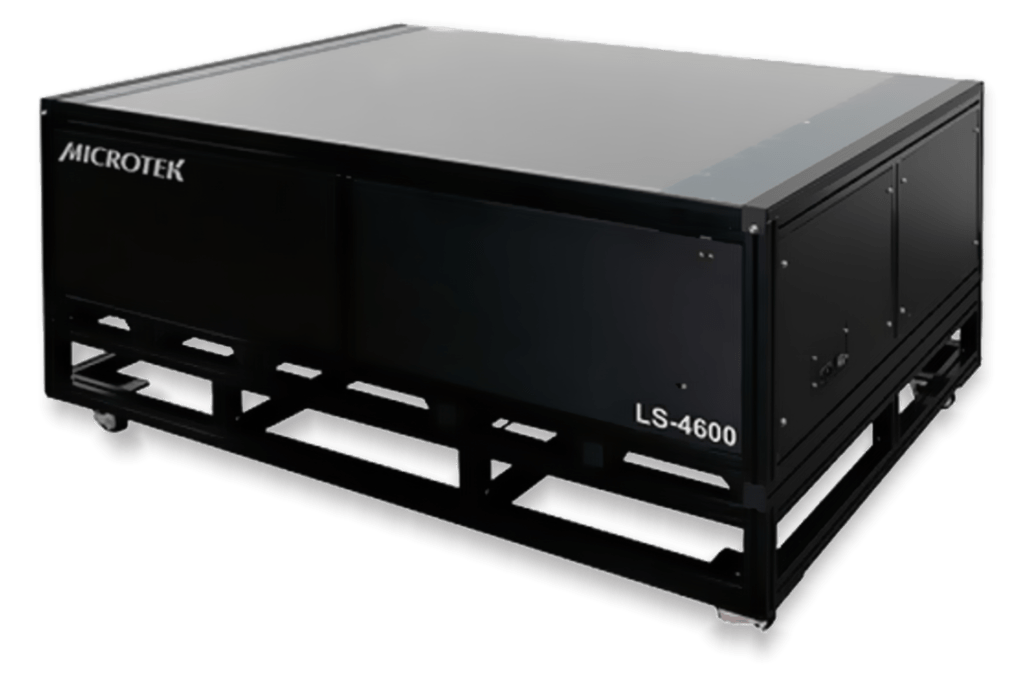
What we like:

This is a large 33” x 47” flatbed scanner that utilizes CCD technology.  The two-way LED light source can be powered on immediately, requiring zero warm-up time (may require optional software).  It can scan up to 600 dpi optical resolution, has 4″ depth of field to scan heavy or thick objects, and is TAA compliant.

What we don’t like:

It has an expensive MSRP of $56,995!  Optional software enhances features and optional trolley with casters allows for the scanner to be relocated.  These seem to be quite necessary, which certainly adds to the cost of ownership.

2nd Runner-Up Flatbed Scanner – Kurabo K-IS-A1FW PLUS
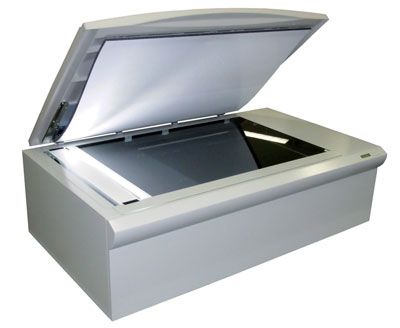
What we like:

Released in 2016 this flatbed is actually 24″x36″ that utilizes CCD technology.  So it can originals up to 24″×36″ at up to 800 dpi optical resolution.  With the full image area color scanning speed of 17.5 seconds at 400 dpi.

What we don’t like:

In technology years, 2016 seems fairly old.  It also has an expensive MSRP of $55,500!  Not calculated in the scan time is the 4.5 seconds for the scan head to return to its home position. This flatbed scanner only has a one year limited warranty.

Best CCD Production Scanner – Contex HD Ultra X

Contex HD Ultra X 6000, Oversized scan, Wide format printing services, Buy large format printer, Wide format printing services

The Contex HD Ultra X is a series of roll-fed scanners that differ by model number based on size (36″, 42″ or 60″ wide) and color scanning speed (8.9 or 17.8 inches per second at 200 dpi).  Since all models within the series have the same technology, we are highlighting them as if they were one.

Why we like them:

These are roll-fed scanners that are easy to use and scan incredibly fast!  They can scan at 17.8 inches per second at 200 dpi in black & white.  In our document scanning service bureau, these production scanners are faster than our really quick operators!  These scanners offer face-down scanning, have an optical resolution of 1200 dpi, are extremely accurate up to 0.1% +/- 1 pixel, have a soft handling mode, and we can make adjustments to the images after having been scanned without pulling the paper through the scanner a second time. These scanners feature instant-on functionality by utilizing optimized LED lights, so no waiting for the scanner to warm-up.  They detect the width automatically. The HD Ultra X finds the paper width as it scans. No wasted time. No more backwards and forwards movement of document while feeding it into the scanner. Just load and scan.  This scanner can scan thin tracing paper, regular bond paper, mylar, and even items that are mounted on foam or gator board; it can scan items that are up to 0.6″ thick!  With the Contex HD Ultra X scanners image quality is exceptional, they offer easy integration (via software) with most all inkjet printers, and these scanners come with a two year warranty.

What we don’t love:

These scanners start at $9387 MSRP + stand + software; however, we often offer bundled promotions that include the stand & software.  Common with all roll-fed scanners, maintaining scanned originals neatly in the catch basket can be a challenge; although our optional Repro Stacking Stand resolves this and greatly improves operator efficiency.  These scanners are not compatible with Mac operating systems.

Runner-Up CCD Production Scanner – Colortrac SmartLF SGi
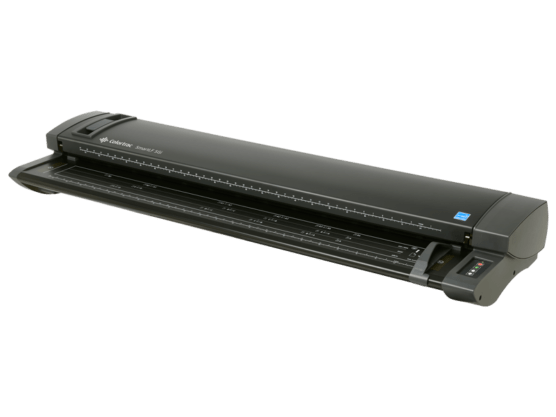
The Colortrac SmartLF SGi is also a series of roll-fed scanners that differ by size (36″ or 44″ wide). Since all models within the series have the same technology, we are also highlighting them as if they were one.

What we like:

These are roll-fed scanners that can scan at 13 inches per second in black & white, the color models scan color at 4 or 8 inches per second (at 200 dpi).  These scanners also offer face-down scanning, have an optical resolution of 1200 dpi, and are extremely accurate up to 0.1% +/- 1 pixel. These scanners feature instant-on functionality by utilizing LED lights, so no waiting for the scanner to warm-up.  This scanner can also scan items that are up to 0.6″ thick!  These scanners can be upgraded from monochrome to color to faster color, and also come with a two year warranty.

What we don’t like:

The most robust model is somewhat comparable to the lower end model of the Contex HD Ultra X series.  Pricing is not publicized, so dealers can charge whatever they want; we believe that these scanners offer less value for the money.  Scan speed is slower.  Colortrac also does not offer a 60″ wide version.  These scanners may appear to be less durable.  These scanners are also not compatible with Mac operating systems.

Best CIS Production Scanner – Contex IQ Quattro X

Contex IQ Quattro X 44", large scanner, large document scanner, large document scanners for sale, plotter scanner, large document printing services, large document printing companies

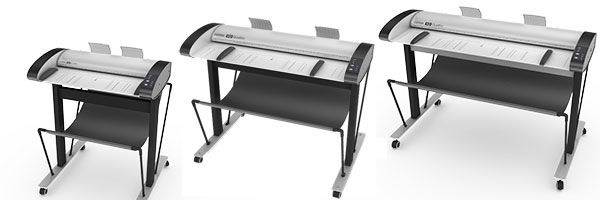
The Contex IQ Quattro X is also a series of roll-fed scanners that differ by model number based on size (36″or 44″ wide) and color scanning speed (8.9 or 17.8 inches per second at 200 dpi).  Since all models within the series have the same technology, we are highlighting them as if they were one.

Why we like them:

These are roll-fed scanners that are easy to use and scan incredibly fast!  They can scan at 17.8 inches per second at 200 dpi in black & white.  In our document scanning service bureau, these production scanners are also faster than our really quick operators!  These scanners offer face-up scanning, have an optical resolution of 1200 dpi, are extremely accurate up to 0.1% +/- 1 pixel, have a soft handling mode, and we can make adjustments to the images after having been scanned without pulling the paper through the scanner a second time. These scanners feature instant-on functionality so no waiting for the scanner to warm-up.  Image quality can be summed up as, “What you see is what you get”.  The The Contex IQ Quattro X scanners are very simple to operate, and offer easy integration (via software) with most all inkjet printers, and these scanners also come with a two year warranty.

What we don’t love:

These scanners start at $5424 MSRP + stand + software; however, we often offer bundled promotions that include the stand & software.  Common with all roll-fed scanners, maintaining scanned originals neatly in the catch basket is challenging, and with face-up scanning this can become more challenging.  These scanners are also not compatible with Mac operating systems.

Runner-Up CIS Production Scanner – Most others

The rest of the field pretty much encompasses the runner-ups.  Factors involved are (or the lack thereof) the following: ease of use, ease of integration, price, value, quality, durability, and warranty.

What’s the Largest Flatbed Scanner You Can Buy?

One of the most common questions we hear at our Phoenix shop is “what’s the largest flatbed scanner available?” The answer depends on whether you mean a true closing-lid flatbed (where the original is held flat under glass) or a wider class of book/art scanner that handles oversized originals on an open platen.

For closing-lid flatbed scanning, the Contex IQ FLEX is the reigning workhorse — it handles originals up to 18×24″ (A2) at full 1200 dpi optical resolution, making it the standard choice for fragile bound documents, vellum drawings, and small-format artwork. For applications that require flatbed-class image quality on originals up to 42″ wide, the Contex HD Apeiron/42 is the largest production-grade option in the world; it’s used by museums, archives, and government records offices for high-value originals where roller-feed equipment would risk damage.

For documents larger than 42″ — most architectural and engineering originals fall in the 36″–60″ range — production CCD or CIS sheet-fed scanners (like the Contex HD Ultra X or IQ Quattro X) replace the flatbed form factor entirely. These pull the original through a transport at production speed, scanning at up to 1200 dpi but without the fragility considerations of bound or oversize artwork.

Need help matching a scanner to a specific document type or volume? Overland Printing has been Phoenix’s authorized Contex dealer since 1987 — call 602-224-9971 for a free assessment, or browse our blueprint scanning service if you’d rather have us handle the scanning for you.

Buy vs. Outsource: What Actually Makes Sense?

Before committing $10K–$56K to a production scanner, do the math. At current Phoenix service-bureau rates, you’d need to scan roughly 15,000–20,000 square feet per year before ownership beats outsourcing — once you account for hardware, maintenance contract, software licensing, and operator time.

Below that threshold, outsourcing is the better call: same-day turnaround, Contex HD Ultra X hardware, indexed PDF output, chain of custody. Above it, you’re probably buying.

Overland Printing has run both sides of this equation since 1987 — we’re Phoenix’s authorized Contex dealer and an active scanning service bureau. We’ll tell you honestly which answer fits your volume.

Call: 602-224-9971 · Get a scan quote → · AEC scanning services →

In Summary

In the scope of large format scanning there is an array of powerful options to cater to various needs and preferences. Whether you’re an artist, architect, or simply seeking to digitize oversized documents, there’s a scanner on this list that is certain to handle the work. Yet it’s wise to assess your specific needs and workflow, and select the scanner that aligns best with your goals.  It may be one that has been discussed herein, or it may be another, remember, those herein are the best in our opinion, you may not require the best.  We feel that with any of these top selected options, that the selected scanner should be well equipped to handle the type of oversized scanning with precision and efficiency for the classification of scanning outlined herein.

If you are in the market for a large format scanner; or want some help in deciding which specific scanner maybe right for your particular needs, call our experts at (602) 224-9971 or contact us now, we’re happy to help!


Related Services from Overland Printing

Plotter Pre-Purchase Insights: Maximizing a $1000-ish Budget

While the idea of purchasing a large format printer at a very affordable price is enticing, there are several compelling factors that you’ll wish you knew before you hit the “Buy” button!  Herein, we’ll delve into the potential drawbacks and limitations of opting for a budget-friendly large format printer and offer some helpful tips to stretch your budget to maximize the value of your purchase.

Do You Feel Lucky?

Although sometimes we get lucky and get good value out of something that we didn’t pay much for.  Perhaps it was a device that you got a good deal on a long time ago and it performed well for quite some time!  However, with technology purchases today, this unfortunately proves rarely to be the case.  It’s no secret that machinery fabricated today utilize cheaper parts that are often made of plastic that simply just break.  I just had to replace a toaster oven that we had purchased just a few years back; though my first toaster must have lasted a decade or two!  Unfortunately, it seems that the days of long lasting product durability may be gone!  So why not buy the least expensive wide format printer, if it’s not going to last either?

Pay Now or Pay Later

The old adage, “time is money” has significant relevance to answering the previous question.  Purchasing cheaper contains characteristics that are commonly less desirable.  These can be factors like: speed, print quality, durability, features, support, etc.  Some of us have at one time or another, purchased an inexpensive computer.  That cheap computer seemed to do everything in slow mode.  So although we spent less money on that computer; (hopefully) we learned that what we saved in money on the purchase, cost us in time (many times over for me)!  The feedback that we obtain from our loyal customers that have purchased the lesser expensive wide format printer, is that with time and aggravation, they “paid the price in the long run”!

Canon imagePROGRAF TA-20,HP DesignJet T125,

What Are the Drawbacks & Limitations

Herein we are discussing large format printer plotters that have a retail price of less than $2000; this includes those that sell for less than $1000.  Wide format plotters in this category are considered desktop printers, whereby a printer stand is optional, these printers are compact in design, and usually have an “exchange” warranty.

Volume & Capacity

Inexpensive wide format printers are designed to print a sheet or two per day.  Very, very low volume is all that a plotter in this category is designed to handle.

Durability & Lifespan

Inexpensive large format printers are typically built with lower-grade materials and components. This can result in a shorter lifespan and increased susceptibility to wear and tear. Investing in a higher-quality printer may initially seem pricier, but it often pays off in the long run due to increased durability and reliability.

Support & Warranty

Budget friendly printers often come with an “exchange” warranty, this means that if there is a warranty issue with your plotter, just send it back to the manufacturer, they will send you another used working printer (they usually do not send a new replacement) in its place.  This does not reset the warranty period, and there is no telling how many prints will have been run through the replacement printer.  By offering this type of warranty, the manufacturer limits their potential liability (in essence, it is not worthwhile for the manufacturer to incur the cost to send out a technician on such an inexpensive unit.  By offering limited or less comprehensive customer support and warranty options, the manufacturer limits their risk. This means that if issues arise, you may face challenges in obtaining timely assistance or repairs. Higher-end models often come with better customer support and longer warranty periods, providing added peace of mind.
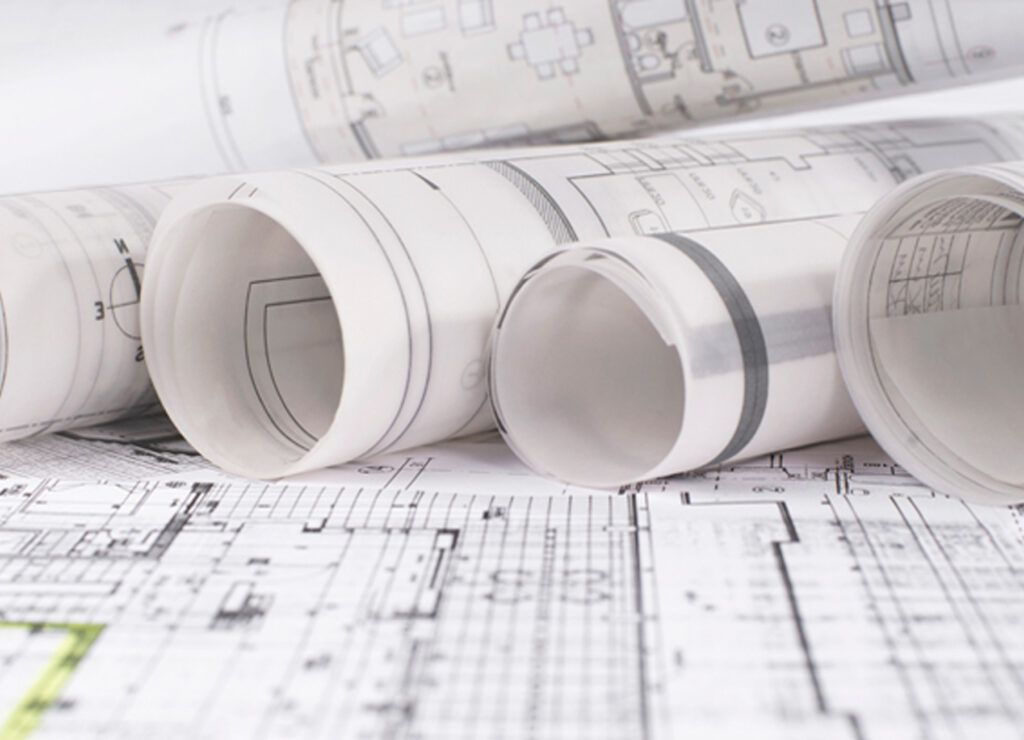

Print Quality

Wide format printers in the sub-$2000 range often compromise on print quality. These are typically simple four color machines; they may struggle with color accuracy, fine detail reproduction, and overall image vibrancy. For professionals seeking quality prints or precise technical drawings, investing in a moderate or higher-end model is significantly more beneficial.Architectural Plans

Media Compatibility

Budget-friendly large format printers may have restrictions when it comes to compatible media types and sizes. This limitation can hinder your creative endeavors, particularly if you require specific materials for your projects. Higher-end models offer a wider range of media compatibility, providing more flexibility in your printing options.

Connectivity and Features

Lower-priced large format printers may lack advanced features and connectivity options that are standard in higher-end models. This could include wireless printing capabilities, touchscreen interfaces, and cloud integration. These features can greatly enhance convenience and workflow efficiency, making them worth the investment.

Long-Term Costs

While the initial purchase price of a budget-friendly large format printer may be attractive, it’s essential to consider the long-term costs. Cheaper printers often use smaller ink cartridges that have, on a cost per mL, are significantly more expensive to replace. Additionally, they may have higher ink consumption rates, leading to greater overall expenses over time.  These low priced printers also seem to be more problematic and therefore the waste factor is likely to be considerably higher.  Also, since these printers are typically slower, plan for the user to spend more time, we would consider this as a soft cost, similar to the previous slow computer example.

Tips to Stretch the Budget    

  1. Buy it only if you can afford it!  If the right wide format printer costs more than you can reasonably afford, look to outsource to a blueprint shop like ours.  We can monitor your activity, and inform you when it might make sense for you to make that purchase.
  2. Finance or Lease a plotter!  We can customize a lease to fit your budget.  And you may also get some tax benefits too!
  3. Make your plotter an additional source of revenue!  Finding alternate uses for the equipment that could provide another profit center could help to fund the purchase, and eventually put more money in your pocket!
  4. Buy the right plotter for your particular needs! Often times some will try to buy a 36 inch wide printer to print a maximum size of 24″x36″; so by buying a 24 inch wide printer, they print most everything sideways and save some money!  Others buy a photo printer to print technical drawings; this too can be more costly than necessary.
  5. Buy a plotter from a reputable knowledgeable authorized dealer! We could share a lot of stories that have been shared with us about shady dishonest unethical salespeople; it’s simply safer to deal with a reputable well established company that’s been authorized for many years!  And it could save you a lot of money too!

wide printer for rent, wide printer near me, wide printer services, large format digital printing, large format printing services, inkjet plotter printerIn Summary

While a sub-$2000 large format printer may seem like a cost-effective solution, it’s crucial to weigh the potential drawbacks against the benefits. Investing in a higher-quality printer may initially require a larger sum, but it often pays off in terms of print quality, durability, and long-term cost-effectiveness. Before making a purchase, carefully evaluate your specific needs and consider the long-term value that a moderately higher-end model can offer.  And look to implement some of our money savings tips to stretch your plotter buying potential!

If you want more help to determine if the plotter that you’re looking at is right for you, or want our expert opinion of which specific plotter might be right for your particular needs, call us at (602) 224-9971 or contact us now, we’re happy to help!

0
    0
    Your Cart
    Your cart is emptyReturn to Shop