What’s the Difference Between Scanner & Plotter? 2 Key Devices

In the realm of digital technology, the number of tools available for various tasks can be overwhelming. Among these, scanners and plotters are two indispensable devices that serve distinct functions. Understanding their differences and applications can help you to understand which type of device you might need. Herein, we’ll delve into the intricacies of scanners and plotters, shedding light on their unique features, purposes, and benefits.

Scanners: Capturing and Digitizing

A scanner is an input device designed to convert physical documents, images, or objects into digital formats. It utilizes technology to capture the details of a document or image, translating them into a digital representation that can be stored,  shared electronically, and possibly edited.  Like a camera, that’s commonly used to capture people, places, and scenery; a scanner is commonly used to digitize printed material, documents, and artwork.  Though the scope of uses for both can be far more vast.  It is important to note that while both a camera and a scanner are both devices for capturing images, the types of things that they each capture are completely different.  And when utilizing images by utilizing the wrong device, simply provides inferior results.  An example of this could be trying to take a picture of yourself utilizing a scanner or copy machine!

Types of Scanners:
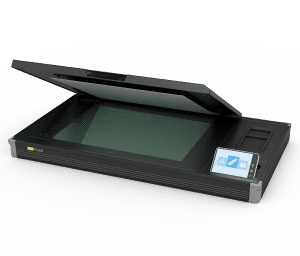
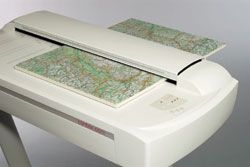
Best large format inkjet printer, Wide format digital printer, Large plotterFlatbed Scanners: Featuring a flat, glass surface onto which the document or image is placed for scanning. They are versatile and suitable for a wide range of items, including photographs, pages from books, some materials, and artwork.
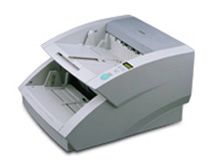
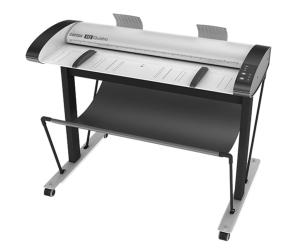
Plotter scanner for rent, Oversized scanner near me, Large format digital printing, Large format printing servicesSheet-fed Scanners: These scanners are optimized for processing multiple sheets of paper in rapid succession. They are commonly used in offices for tasks like scanning documents, like contracts, invoices, and records.

Book Scanners: These scanners have a cradle to hold books, with the scanner module over the cradle.  These scanners are most exclusively utilized to scan books and magazines.
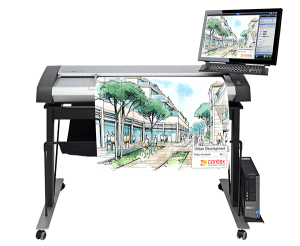
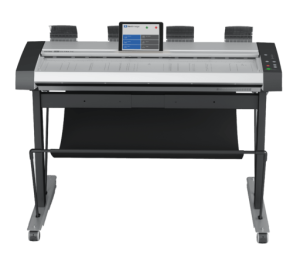
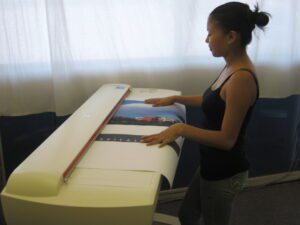
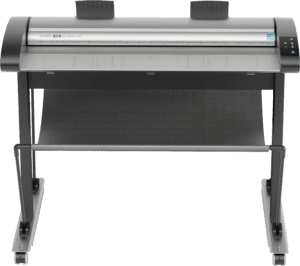
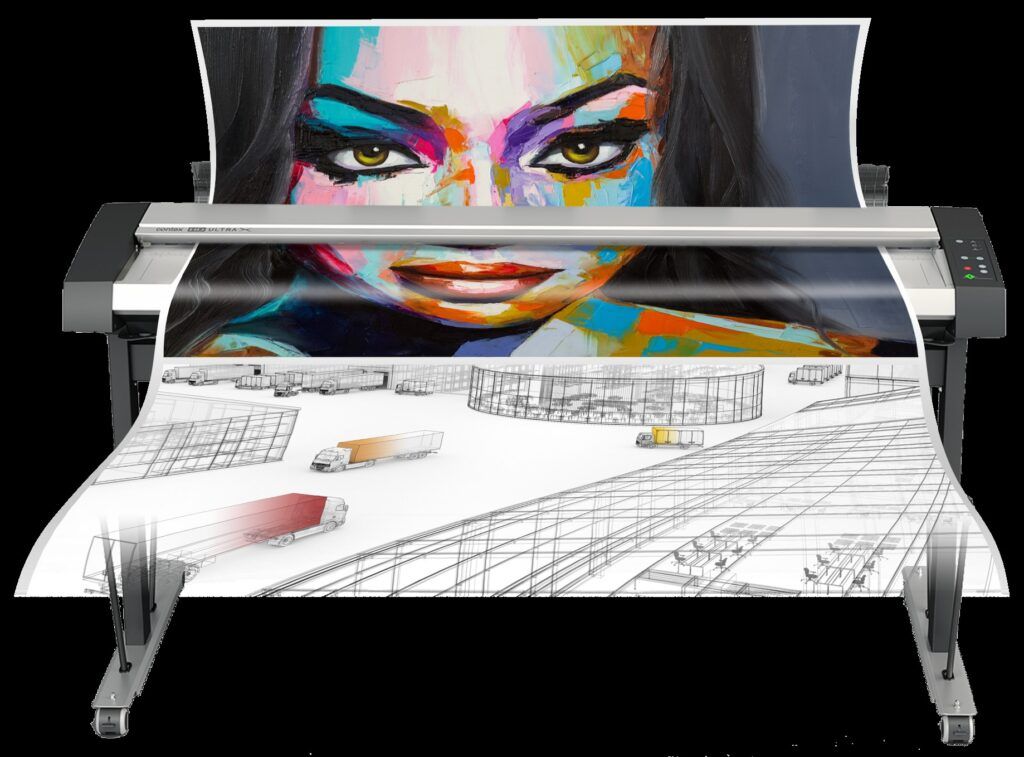
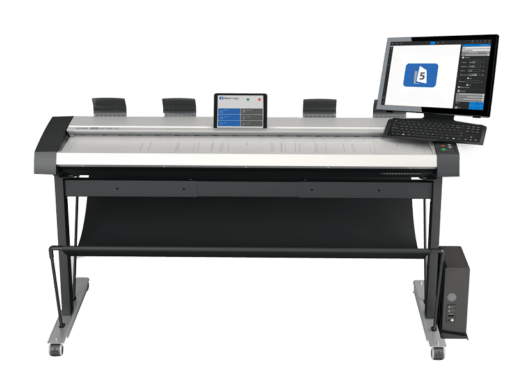
HD Ultra ScanStation PRO, Kodak Scanners, Large format printing companies, Blueprint plotter, Large format plotter printer, Digitize blueprintsWide format scanners, or large format scanners: Roll-fed scanners that are used to capture architectural or engineering blueprints, maps, schematics, etc.
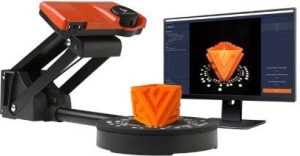
3D Scanners: These scanners scan 3 dimensional objects.
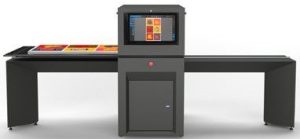
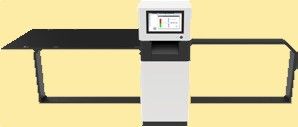
Fine Art ScannerFine Art Scanners: Put the artwork on a table that moves through the scanner without ever touching the artwork.

Applications:

  • Digitizing Documents: Scanners play a crucial role in converting physical documents into digital files.
  • Organization: Digitizing simplifies more efficient organizing of source material, reducing clutter and facilitates clearing up office space.
  • Sharing Information: Digital documentation can easily be shared virtually anywhere in the world.
  • Archiving: Institutions and businesses use scanners to preserve historical documents, and other valuable materials in digital form.
  • Image Editing: Photographers and graphic designers use scanners to capture high-quality images for editing and manipulation in various software programs.

Benefits:

  • Preservation of Physical Copies: Scanning documents ensures their long-term preservation, it stops the aging process for documentation, reducing the risk of loss or damage.
  • Enhanced Accessibility: Digital files are easily searchable and can be accessed remotely, promoting efficient collaboration and sharing.

Plotters: Transforming to Print

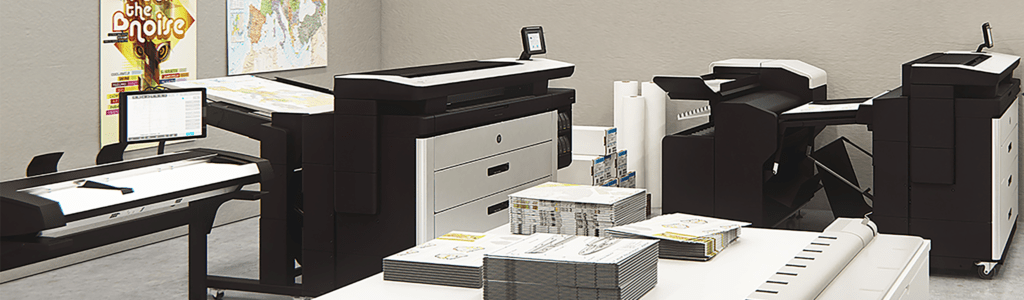
In contrast to scanners, plotters are output devices that produce physical copies of digital designs or images. They create intricate, large-scale reproductions by precisely laying ink or toner onto media utilizing a process within the technology.  A plotter is a wide format printer.  Where it gets a little confusing is when a scanner is combined with the printer (ie. the scanner is in the top portion of the equipment and the print engine is under), this combined equipment is sometimes called a “plotter” (really confusing), or “MFP plotter” (a little less confusing)!

Types of Plotters:

Printing Plotters: These plotters use ink or toner. They are commonly used for technical drawings, architectural plans, and artistic renderings.  Within printing plotters, there are three types of technology commonly used today (Pen Plotters are passe), they are:

  • InkJet Plotters
  • LED Plotters
  • Laser PlotterEpson T5770DR 36" color plotter

Within Printing Plotters there are a plethora of different printing applications (types of plotters for the intended use), they are:

  • Technical Plotters
  • Photo Plotters
  • Graphics Plotters
  • Sublimation Plotters
  • Direct to Garment Plotters
  • Rigid Substrate Plotters

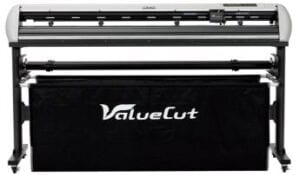
Cutting Plotters or Contour Cutters: Instead of using ink toner, cutting plotters employ a sharp blade to cut out shapes from materials like vinyl or paper. They are extensively used in industries like sign-making and fashion design.ValueCut Contour Cutter Plotter
Applications:

  • Engineering and Architecture: Plotters are indispensable tools for creating detailed blueprints, architectural plans, and technical drawings with utmost precision.
  • Design and Prototyping: Industries that require accurate representations of designs, such as fashion, automotive, and aerospace, utilize plotters for prototyping and pattern-making.
  • Signage and Graphics: Cutting plotters are commonly used to produce vinyl decals, stickers, and other custom graphics.

Benefits:

  • High Precision: Plotters excel at producing precise, detailed reproductions with consistent quality.
  • Versatility: Cutting plotters, in particular, can work with a variety of materials, opening up a wide range of creative possibilities.

In Summary: Bridging the Gap

In summary, scanners and plotters are pivotal devices in the world of digital technology, each serving a unique purpose. Scanners are input devices, bringing physical documents into the digital realm, while plotters are output devices, transforming digital designs into tangible, real-world creations printed onto media. Understanding their capabilities and applications empowers individuals and businesses to harness the full potential of these indispensable tools, unlocking new levels of productivity and creativity in the process.

Explore our selection of reliable wide format plotters and scanners at Overland Printing. We offer quality equipment with the peace of mind that comes from dealing with a trusted source.  If you are seeking information or want to purchase a wide format plotter or large format scanner contact us today!  Or, call us now at (602) 224-9971!


Related Services from Overland Printing

How to Make Money with a Wide Format Scanner?

So you purchased, or are thinking about purchasing a wide format scanner and are looking for ways to make money with such a powerful asset! We have helped many businesses get into the wide format scanning business.  So let’s explore the various avenues through which your wide format scanner can generate profits for you or your business. Several industries have a need for digitizing or scanning wide format originals.  We’ll delve into innovative ways for you to tap in and make money with your wide format scanner; thus turning your wide format scanner into a money-making machine!

Reproduction Services

If you have a wide format printer, adding a wide format scanner improves the printer’s capabilities by now allowing you to make copies of wide format documents or plans.  This is accomplished by scanning the paper into the wide format scanner and outputting copies out of the wide format printer.

Providing high-quality digital or paper reproductions of any oversized document, construction plans, schematics, artwork, maps, historical documents, etc.. Various industries often have a need for accurate reproductions of their work. Your scanner can help you create digital images that cater to anyone that is seeking a digital reproduction.  And again matched with a wide format printer provides other ways to make money by printing the scanned images therefore making wide format copies.

Specific industries that utilize wide format scanning are:

Architects and Engineers

For those in the architectural or engineering industry there could be a daily need to scan architectural drawings and engineering plans.  So catering to Architects & Engineers with the capabilities of a wide format scanner can be quite lucrative. Offer scanning and digitization services for blueprints, drawings, and plans. Many clients prefer digital copies for ease of sharing and storage. Charging per square foot or per sheet can quickly add up to a substantial income stream.office needing scanning

Construction Companies

Construction companies can be Developers, General Contractors, Sub-Contractors, Builders, or anyone else in the construction business.  Most of these businesses utilize blueprints, plans, drawings, site plans elevation drawings, schematics, or any other type of construction documents. Builders and contractors often require these documents in digital format for bidding purposes and easy access on-site. Charging a fee for scanning and organizing these documents, digitizing these plans to make them easily accessible to print, and making blueprint copies can all be valuable services.office needing scanning

Mapping and GIS Services

Offer GIS (Geographic Information System) services by scanning maps and geographic data for urban planning, land development, or environmental analysis. These services are often in high demand for both public and private sector projects.Lists, Maps and Commas. A common syntax issue in Erlang | by Brujo ...

Interior Designers

Scanning floor plans so that these professionals can redesign to scale is a much needed helpful and time saving service.  Scan existing layouts enables these professionals to make their iterations more easily.

Landscape Designers

Scanning site plans so that these professionals can redesign the hardscape and landscape to scale is also much needed and another time saving service.  Scan existing site plans enables these professionals to make their changes more succinctly.The Importance of Hardscape Design (5) | The Whispering Crane Institute

Real Estate Professionals

Real estate agencies often need to scan and digitize large property blueprints, floor plans, and maps. Position your scanning services as a solution to help them manage and present their listings more effectively.Morden House Elevation

Homeowners

Not a specific industry; yet there are a lot of DIY (Do It Yourself) homeowners that are willing and able to take-on a significant construction project.  These can consist of a remodel to a room addition, to a complete new build.  Assist homeowners and contractors with renovation projects. Scan existing layouts, enabling them to plan changes and additions accurately. This service can help to streamline the renovation process.Home Renovation Plans | plougonver.com

Government

Various branches of government have a significant amount of construction plans and maps that they would like to have digitized.  Utilizing a wide format scanner to satisfy this need can be a lot of work.Rolls Of Blueprints Stock Image - Image: 18663771

Signage and Graphics Companies

Companies that produce high end graphics and custom signage are consistently seeking to digitize to create a starting point for their work.  These companies design and produce large-scale graphics, banners, and signage for events, trade shows, or businesses. With a wide format scanner, you can scan existing artwork to aid in creating new designs. Offer your services to local businesses and event organizers.Hanging sign plan

Museums, Galleries, and Artists

Provide high-quality reproductions of artwork, maps, or historical documents. Museums, galleries, and artists often require accurate reproductions of their work. Your scanner can help you create exceptional prints that cater to this niche market.Art Galleries

Educational Institutions & Schools

Partner with schools, colleges, or educational publishers to digitize teaching materials, posters, student work, etc.. Your scanner can help create digital resources that enhance the learning experience.Research, Engineering, and Design: The Talent Cluster in a Talent ...

Arts & Crafts and HobbyistsFamily Tree JPEG,Custom Ancestry Tree,Gift for Mum,Genealogy Chart ...

Use your scanner to scan patterns, photographs, scrap books, family trees, model plans, decorative prints, etc.. Offer customization options to individuals and businesses looking to digitize their unique artwork or graphics.How To Build A Boat For Kids

You’re Becoming A Document Management Service!

To significantly improve efficiency and reduce costs, you can provide document management services of scanning, organizing, and digitizing large volumes of wide format paperwork for businesses transitioning to digital workflows.  You can improve efficiency in your own office too by scanning all of your paper as well.

Finding your niche and effective marketing your services is key to the success of your wide format scanning venture. Start with a plan, get the right equipment by contacting us, target a specific niche, create a professional website showcasing your services, pricing, and examples of your work. Utilize social media platforms, local directories, and partnerships with related businesses to increase your visibility.

Remember to invest in high-quality scanning equipment and software to deliver top-notch results; we can help with this, contact us.  Remember to offer excellent customer service and quick turnaround times will help to build a loyal client base.

A wide format scanner can be utilized in your business and be used as an additional revenue-generating tool with vast potential. By diversifying your services and targeting the right market(s), you can transform your wide format scanner into a profitable asset for you or your business. So, start scanning your way to financial success today!

We have helped countless businesses get into the wide format scanning business.  It all starts with a plan, and then speak with us to help you find the right scanner for your business. We can be reached at (602) 224-9971 or contact us today!


Related Services from Overland Printing

Before Buying Used Equipment Read These Insider Tips & Hints

Experts Yet Not Limited to Imaging Equipment

Used equipmentOur perspective pertains to the type of equipment that we intimately work with in our service bureau & print shop, as well as equipment that we market, sell, lease and rent: wide format scanners and large format printers.  If you are not in the market for a wide format scanner or plotter, this post may still be quite helpful as it resonates with a lot of other equipment as well.  And although we primarily deal with new equipment, we are quite familiar with the used market as well.  Understanding that investing in used equipment can be a savvy way to save some money, there are some innate challenges, and some warning signs to certainly look out for. To ensure you make the most advantageous decisions, herein we’ll share our experiences and provide invaluable insider tips and hints for purchasing pre-owned equipment.Old Wide Format Scanner
Why You Might Consider Used Equipment

Cost Savings

The most obvious reason for looking at pre-owned equipment is to save some money!  Like a new car, the value drops considerably upon driving it off of the new car lot.  This is also often the case with other used equipment as well.  However, when it comes to technology, you want to buy it closer to the newer side than the “end-of-life” spectrum.  Used wide format equipment can offer significant savings, but could also end up costing more in the long run.

Proven Reliability

Another benefit of pre-owned equipment is that since the item may have been out for some time, these devices may have a track record of reliability, they may have reviews and write-ups.  There is certainly something to be said for having stood the test of time in real life demanding environments.

Immediate Availability

If you find the equipment that you’re looking for, you can often cash-n-carry, meaning you can get it today.  With new equipment, you often have to wait for it to ship, and when you get it, you have to take some time to set it up.  Pre-owned options are available when offered, which can speed up the setup process.

Our Experience With a Purchase

So, we were looking to replace our main production printer. In order to maintain being competitive while still offering exceptional service to our service customers, our parameters were simple; we needed a wide format production plotter that efficiently provides high speed sharp quality prints at a low operational cost with little down-time. Upon reviewing our print volume compared to the cost vs. return on investment, it simply didn’t make sense to purchase a new wide format production plotter.  So, we reached out to equipment brokers that specialize in this type of pre-owned equipment.  Being in the industry, we thought we knew who to avoid and who was trust-worthy.  So, we started working with Kurt from North Carolina, he offered the type of machine that we wanted with software, new print-heads, a full set of cartridges a complete service and cleaning prior to shipping, and proper installation upon delivery.  He required that we wire the sum prior to shipping.  Fortunately, the machine did arrive. Unfortunately, none of the other promises were ever delivered!  We paid a technician to repair the partially dilapidated leaking plotter and learned that the print-heads were expired, which was of less consequence to all of the other issues!  And getting Kurt to answer our calls was an exercise in futility!   Fortunately we were able to get it up and running, but learned that it soon requires a major extremely costly service!

Our Lesson Learned – Insider Hints!

Source Reliability

Try to buy from a reputable Authorized Dealer with a track record of honesty and integrity. Research their reputation and trust your gut.  Although it can be extremely challenging to tell if you are dealing with a dishonest seller or equipment broker, yet here are some smart hints to consider:

Test Before Buying

Internet Research - Research - Research Guides at Broward CollegeWhenever possible, test the equipment in person to ensure it operates smoothly and meets your needs. Go where the equipment is located and see first-hand that it runs properly.  Do not rely on video or even video conferencing.  A plane ticket could have saved us a considerable amount of money!

Age and Usage

Inquire about the age of the equipment and how frequently it was used. Lower usage and newer models are generally better choices.  However, with certain equipment, like wide format plotters, this equipment stays healthier when it runs more consistently.  So a “low mileage” plotter could be problematic.Used CNC Machining Centers Vertical Horizontal For Sale - STRONG ...

Equipment Functionality

If available, ask the operator of the equipment if there are any issues or restrictions of the equipment, software capabilities are often at the root of many restrictions.  These restrictions may hinder you from maximizing all of the functionality that the equipment has to offer.

Service History

Service Record LabelsRequest maintenance records to assess how well the equipment has been cared for and whether any major repairs have been undertaken.  By requesting to see the service records and asking what and when it will require future service is important too.  And also, what you can expect to pay for those upcoming service calls?

Be Cautious of the Rushed Offer

3 Top Value Stocks to Buy Right Now | The Motley FooleLearning Authoring Tool: Test It Before You Buy It - eLearning IndustryOften there is a small window of availability when seeking to buy used equipment; so you often have to react quickly, which can make it more challenging to do the proper research.  Slow it down!  Take your time to do the research!

What We Often Hear

This is a call that we get way to often:

Caller: “I just purchased this wide format scanner online, can you please help me to get it working?”

Upon hearing the answers to specific questions that we ask, it is an often occurrence that a significant ancillary component has been omitted from the sale.  Not good!

Caller: “I just got this great deal on a used wide format printer but it’s not printing, can up please help?”

Oh, no!  They were having issues with it, and sold those issues to you!Used Plotter

Caution: Potential Obstacles of Purchasing Used Equipment – Insider Tips!

Although you may be unable to prepare for everything, consider these important tips:

Is Everything Included?

Certain equipment requires ancillary components that are necessary for the equipment to function properly and/or to continue to functioning properly, knowing what these are and obtaining confirmation that they are all included is paramount!

How Long Should It Last?

Equipment only lasts a certain amount of time, buying pre-owned only affords you a shorter amount of its useful life; so consider that it may not last as long as you might want or need.

Is It Dependable?

Pre-owned equipment is likely to be less dependable compared to new equipment.

Does It Have Warranty and Support?

Determine if the equipment comes with any remaining warranty or if the seller offers post-purchase support.  Used equipment may not have a warranty, and if it does, the warranty may not be transferable.  Understanding that it could be challenging to figure, yet try to consider factoring in the cost of potential repairs.

How Old Is This Equipment?

New equipment should have up to date technology built in; which implies that it should be faster and run more efficiently than older equipment.Really Old Equipment

What Maintenance and Upkeep Factors to Consider?

  • Regular Maintenance: Budget for ongoing maintenance to keep your used equipment in top shape and extend its lifespan.
  • Upgrades: Consider whether there are any upgrades available, and you may need to upgrade components or software to optimize performance.

Will It Work With Our System?

Future Compatibility is a Key Factor. Ensure that the used equipment is compatible with your existing software and workflow needs.Rapid Scanning AFM with Super-Resolution Compatibility : Quote, RFQ ...

Most equipment today connects to a computer system, internally &/or externally.  For the computer to effectively communicate with the equipment, software drivers must be installed on the computer(s).  The equipment manufacturers create these software drivers when the equipment is first released, and sometimes these software drivers may be updated.  An often overlooked factor to consider when purchasing older equipment is what operating system is it currently running, and are there even any drivers available for current operating systems.  If not, you’ll be saddled with having to use an older, possibly out-dated computer to run you newly acquired equipment; this creates a plethora of potential speed, compatibility, & security issues.

In Summary

Purchasing seasoned equipment like used or pre-owned wide format plotters or large format scanners can be a cost-effective solution for businesses. However, it requires careful consideration and research. By following these insider tips and hints, you can make an informed decision that aligns with your budget and your needs.

Explore our selection of reliable used wide format plotters and scanners at AZ Overland Blueprint. We offer quality equipment with the peace of mind that comes from dealing with a trusted source.  If you are seeking information or want to purchase a wide format plotter or large format scanner contact us today!  Or, call us now at (602) 224-9971!

Why Are Wide Format Scanners So Costly? How To Pay Less!

Wide format scanners have become essential tools for industries like architecture, engineering, GIS, construction, art, and others. However, their seemingly high price tags often raise questions. So what is the justification for the expense of wide format scanners. Here I’ll provide some insight on the technology, features, and market dynamics driving these prices and also offer some savvy tips for making budget-friendly wide format scanning decisions.Repro Stacking Stand for wide format scanning

What Are Wide Format Scanners?

Wide format scanners are designed to capture larger documents, such as blueprints, architectural plans, maps, schematics, and artwork. These large format scanners utilize one of two types of technology, CCD (Charged Couple Device) or CIS (Contact Image Sensor), for more information read this blog post – CCD versus CIS technology.  Since there are either a series of cameras or contactor arrays, the wide format scanner has to have the technology to stitch images together from each in the series.  The precision and capacity to handle oversized materials make wide format scanners valuable assets. However, this advanced technology comes at a cost.

Key Factors Influencing the Price of Wide Format Scanners

Although it primarily boils down to technology, there are several different aspects of technology that are involved.  Research & Development (R&D) has its cost, and the engineers have to be paid!

Stitching

Picture if you will a series of three or four cameras that are digitizing specific areas of a blueprint, each concisely and clearly collecting data as the blueprint passes over the camera lenses (although there is more to it, like how the scanner platen (glass) and mirrors are integral components too).  Yet, how the image is interpreted from the end of camera one to the beginning of camera two, and from the end of camera two to the beginning of camera three, etc. with the image appearing as continuous, this is called stitching, and when working properly is seamless.

Optical Resolution and Precision

Wide format scanners need high optical resolution to capture intricate details accurately. This requires sophisticated sensors and optics, contributing to higher manufacturing costs.

Large Format Compatibility

The ability to scan materials beyond the standard letter size demands stronger mechanical components and complex feeding systems, adding to production expenses.

Speed

As with most technology, we all want it faster so that we can be more productive and efficient, so manufacturers are continuously working to make their large format scanners faster.

Color Accuracy

Many wide format scanners are designed to reproduce colors faithfully. Ensuring color accuracy involves intricate calibration processes, raising both manufacturing and maintenance costs.

Image Processing Capabilities

Scanners equipped with advanced image processing features like de-screening, color correction, and noise reduction require powerful processors, adding to the overall expense.

Durability and Reliability

Industries that rely on wide format scanners require durability and reliability. Manufacturers invest in robust materials and testing, increasing costs.

Market Dynamics – Niche Demand

The market for wide format scanners is relatively niche, resulting in lower economies of scale. Manufacturers distribute development and production costs across a smaller customer base, can lead to higher prices.Contex HD Ultra X with AIO,

Comparing Costs and Benefits:

While the initial investment in a wide format scanner might seem high when compared to cheap office desktop scanners, the benefits often outweigh the costs. Time-saving, improved productivity, and enhanced image quality contribute to long-term value for businesses that require digitizing wide format documents.

Smart Strategies to Save on Scanning

Assess NeedsHomework promotes responsibility / a written essay

Determine your essential needs.  Do you intend to do a lot of scanning or very little?  What size scanner do you actually need? And look into the features that you really need and avoid paying for unnecessary add-ons.

Evaluate Outsourcing

Service Bureau companies like AZ Overland Blueprint (yes, we offer the service in addition to offering the equipment) offer wide format scanning at competitive rates.  Often times outsourcing to a company like ours can save a lot of money, time, and aggravation!  Putting projects in the hands of experts can make your life a lot simpler, and it gets done right the first time!

Consider Refurbished

Explore refurbished options for potential savings; however, be cautious when looking to purchase older technology.  Make certain that all of the components and necessary parts & accessories are included, and actually test the equipment prior to purchasing.

Does Leasing a Large Format Scanner Make Sense?

Best large format inkjet printer, Wide format digital printer, Large plotter

Consider leasing as an affordable alternative to upfront purchasing.  Leasing is a way to finance equipment for businesses.  At the end of most leases, you have the option of returning the equipment or executing the buy-out provision. We at AZ Overland Blueprint offer customized leasing solutions.Contex IQ Quattro, Inkjet plotter printer Large plotter printer, Wide format printing services, Buy large format printer, Large color printer

How About Renting a Wide Format Scanner?

Renting a scanner is a short-term solution of paying to use someone else’s equipment.  Renting a scanner can be a viable solution for a relatively short-term digitizing project.  Again, assessing your needs for the project are paramount.  Renting can be a good solution whereby the intent is to return the large format scanner when the scan project is complete.  We also offer rental options at AZ Overland Blueprint.

In Summary

Wide format scanners are sophisticated devices with a range of features and technologies that justify their price point.  These technology enriched scanners are for businesses seeking the best solutions for their needs. By understanding the driving factors and employing cost-cutting strategies your business can access the benefits of these powerful tools without breaking the bank.

AZ Overland Blueprint offers a range of wide format scanners tailored to meet most any industry’s demands. Contact us to explore our advanced scanning solutions that deliver both performance and value for your particular needs. Discover budget-friendly wide format scanner options at AZ Overland Blueprint. Achieve high-quality scans and efficiency without sacrificing your budget. Contact us or call us at (602) 224-9971 today!


Related Services from Overland Printing

How to Approach a Large Scan Project: Expert Guide

So, you’ve finally decided to get rid of all those rolls of paper plans! But wait!  How should you tackle this scan project in the most efficient manor? By understanding the scope and potential challenges, you can approach this scan project with the right strategies. Here we’ll explore expert insights, proven strategies, and essential precautions to take to ensure successful project execution.

Understanding the Scope:

Assessing the Scale of your scan project. Start by evaluating and quantifying the project’s size and sheet sizes that you’ll have to work with. Knowing what you’re up against will help you determine if you have the right scanner for your project.  Knowing the condition of the source material to be scanned; having the proper materials and supplies necessary to get old or fragile media through the scanner safely.  Having the proper tools to prepare the documents to be scanned is also necessary.  Next, determine what resolution you are going to scan; it’s important to understand that there is a direct correlation between resolution and file size, higher resolution = larger file sizes (for more about this please read the blog What is DPI and How Does it Impact Scanning and Printing).  Determine if your project requires color scanning, and what percentage is to be scanned in black & white versus color.  The most important factor is how are the scanned images to be organized; are they going to be combined into multi-page files, or are you using a file structure and naming the individual pages.  How you index the scanned images is absolutely crucial and worthy of thorough consideration.  And finally, knowing what you intend to do with the scanned images, and how you intend to store the digital images.  Identifying potential challenges can help you anticipate potential issues; so if you are unclear about any facets just mentioned, it’s important to get educated prior to embarking on this scanning journey.

Expert insights

Expert Insights for Success:

Get advice from the pros: Learn from those who have successfully managed large scan projects for practical advice.  By seeking to leverage industry expertise you’ll tap into the knowledge of seasoned professionals to gain valuable insights and tips.

Alignment for Effective Execution - CDC Synectics on How to Leverage ...

Proven Strategies for Efficient Execution:

Breaking down the tasks; divide the project into manageable components to simplify execution.

  • Document preparation
    • remove stables
    • get the curl out, so the pages lay flat
    • repair torn or fragile documents
  • Production scanning
  • Indexing (the most important part of the scan project)
  • Quality Control
    • check image quality
    • perform re-scans (we are human, most every project has re-scans!)
    • merge the files / check file structure
  • Protect and integrate the scanned images into storage

Precautions to Ensure Smooth Operation:

Create a detailed project plan.  Execute a sampling to ensure that you have sound processes in place, that the finished product is properly organized, works within your system, and integrates seamlessly.  Avoid what may appear to be short-cuts, as it is always best to get it right the first-time.  Having to return to fix for missing steps is time consuming and highly inefficient.

Habits of The Most Time-Efficient People - WorthvieW

Boost Efficiency and Save Time:

Be meticulous in performing the tasks at hand.  Seek out areas where you can improve efficiency.  This can be achieved by spending some money on the proper equipment and tools in order to save considerable blocks of time often pays in the long-run.  Example of this could be investing in a more robust computer, or purchasing one of our Repro Stacking Stands.Repro Stacking Stand for wide format scanning

In Summary:

There is a lot more to a large scan project than getting a scanner and putting someone on the job of scanning! It’s important to create a concise plan for the project, break down the scan project into manageable tasks, execute a scan sample and test it within your system. By following these expert insights, proven strategies, and precautions, you should be on your way to tackle your large scan project! However, if you feel that you need some help, please don’t hesitate to contact the scanning experts at AZ Overland Blueprint!

Our experts can be reached at (602) 224-9971 or contact us today!

Scan Project of Maps & Blueprints: What Options Are Available?

A comprehensive guide of how to tackle a scan project for digitizing an archive of blueprints &/or maps. In this blog, we will look into the various options available; outsource, buy a scanner, or rent a scanner.  Each path offers an efficient approach for digital conversion.  However, by understanding the advantages and trade-offs of each approach, you’ll be equipped to make an informed decision about which approach to take for the nuances of your particular scan project.

OutsourcingWhen Not to Outsource Your Sales & Why | ChannelCreator

One option to consider is outsourcing your blueprint &/or map scanning project to a Document Scanning Service Bureau that specializes in wide format scanning. Outsourcing to a Service Bureau allows you to leverage the expertise, experience and resources of a specialized service provider. By entrusting the task to experienced professionals, you can save time, reduce costs, and ensure meticulous accurate scanning and digitization.

Advice & Experience

A Service Bureau should be able to provide options and advise on how the project should be: organized, structured, resolution, file type, indexed, and transferred. The service provider should have experienced scanner operators that can scan expeditiously, knows how to care for and handle delicate or fragile originals, is able to quickly implement any type of universally excepted naming scheme.  An experienced Service Bureau should have a process in place that involves providing a sampling, has high production output, does meticulous quality control, can provide options for consistent file structure & naming, and is able to offer customizable solutions.

Outsourcing Trade-offs

It’s essential to weigh the potential drawbacks, such as: their experience level, the quality of service, need for effective communication, data security concerns, and transporting issues.  If the service provider is really busy with a lot of work &/or is understaffed; they may take significantly more time to get your project competed.  Since most Document Scanning Service Bureau focus primarily on small format scanning, a good question to ask is, “What percentage of their business involves scanning blueprints and maps?” This will help to identify if they have sufficient experience.

Cost to Outsource

Somewhat surprising is that outsourcing is often the most cost efficient solution to handling a scan project.  An efficient Document Scanning Service Bureau can produce more scanning in a shorter amount of time. Service providers have the most up to date, quickest, most efficient production grade scanners.  Expert scanner operators are trained to work specifically with blueprint and map scanning.  Experience from a professional Service Bureau practically eliminates the common mistakes that will occur from learning while you try to take in on yourself.

Buy a Wide Format ScannerBuy Clip Art at Clker.com - vector clip art online, royalty free ...

Another option is to purchase a wide format scanner and software for in-house scanning. Buying gives you full control over the process and allows for greater flexibility in managing your projects. Additionally, having your equipment provides flexibility for when you scan.  There is also a convenience factor when you own a wide format scanner; it’s all in-house, so no need to leave or ship original blueprints and maps. Buying a scanner can lead to cost savings in the long run, especially for ongoing or day-forward scanning.

Trade-offs to Buying a Wide Format Scanner

It’s important to consider the initial investment cost for the scanner, software, & stand, maintenance requirements for the scanner, and the learning curve associated with operating the equipment and software.  After you have purchased the scanner, keep in mind that you should budget in the labor cost to run the scanner; with wide format scanning every single page must be hand-fed into the scanner, therefore the labor cost commonly far exceeds the initial investment cost of the wide format scanner.  Many businesses do not take the labor cost into consideration since this is a soft cost; however, often times a higher paid individual is delegated the task of scanning.  In this case, the employee (or executive) is grossly overpaid for the significantly less qualified task of scanning blueprints or maps, and they are substantially less efficient too.

Cost to Buy a Wide Format Scanner

Wide format scanners range in price from $3150 for a slow non-production scanner to starting at $5700 for a descent scanner, up to over $20,000 for a high-end production scanner. As previously stated, the labor cost is where most of the money is spent.  We do not have the data and due to the vast quantity of variables, it is difficult to project the labor cost; however, if you know who is going to be delegated to the task of scanning, perhaps you can plug in a number?

Lease a Wide Format Scanner

Leasing is typically a vehicle in which to finance the purchase of equipment or is a way to procure equipment for a certain number of years.  Leasing equipment for a scanning project is rather uncommon since most projects are completed in less time than the multiple years of a lease.

Rent a Wide Format Scannerfor rent sign png 10 free Cliparts | Download images on Clipground 2021

Renting scanning equipment is a viable alternative if you have short-term scanning project or stringent requirements that require the original blueprints and maps to stay on-site. Renting provides you with access to advanced technology without the upfront investment. It offers flexibility, allowing you to adjust your equipment needs based on project demands.

Trade-offs to Renting a Wide Format Scanner

It’s crucial to assess rental costs, scanner availability, scanner transportation costs, and the level of support provided by the rental company.  It is very common for a scan project to take longer than originally estimated, so budgeting for extra time is prudent.  And look for rental companies that offer a buy-out provision to the rental agreement.

Cost to Rent a Wide Format Scanner

The rental prices for wide format scanners range from $885 to $995 per month.  Shipping and software are additional. And as previously stated, the labor cost should also be taken into consideration.

The Decision

To make an informed decision, evaluate your specific project requirements, budget constraints, and long-term goals. Consider factors such as project timeline, scanning volume, expertise needed, and data security considerations. Compare the advantages and trade-offs of outsourcing, buying, and renting based on your unique circumstances and the guidelines for your scan project. Consult with industry experts, review industry websites, and get pricing from potential service providers &/or equipment suppliers.

By exploring the options of outsourcing, buying, and renting, you can find the best fit for your specific needs. Remember to consider the advantages, trade-offs, and long-term implications of each approach. Armed with the insights from this guide, you’ll be well-equipped to embark on your blueprint and map scanning journey, ensuring efficient and accurate digitization.

AZ Overland Blueprint offers all of the options provided in this post as our goal is to provide solutions for any wide format scanning need.  Call us now at (602) 224-9971 or contact us today so that we can help you with your scan project, we’re happy to help!

Best Scanner For Scanning Blueprint Plans

Looking for the best wide format scanner for scanning blueprint plans?

Our comprehensive guide helps you choose the perfect scanner based on features, resolution, speed, and compatibility; so that you can digitize and preserve blueprints efficiently with the right scanner for your particular needs.  Here we discover which wide format scanners can be used to efficiently scan blueprint plans, and we explore the advantages of using wide format scanners that are specifically designed for scanning blueprint plans.

In the architecture, engineering, and construction industries, the accurate digitization of blueprint plans is crucial for efficient project management and collaboration as well as being an avenue for efficient long term storage. With the advent of technology, traditional manual methods have been replaced by high-quality scanners that can quickly and accurately convert physical blueprints into digital formats. In this blog post, we will explore the key factors to consider when selecting the best scanner for scanning blueprint plans, and we’ll provide our top wide format scanner picks to help you make an informed decision that optimizes your workflow and ultimately meets your needs.

Understand the Requirements:

Before diving into the world of wide format scanners, it’s essential to evaluate your specific needs. Consider factors such as the size and type of blueprints you typically work with, the level of detail required, and the expected scanning volume. This preliminary assessment will guide you towards choosing a scanner that is best suited for your unique requirements.

Types of Wide Format Scanners:

Compare different types of wide format scanners, including the most common: flatbed or roll-feed.  The roll-feed or roll-fed are more popular as these wide format scanners are typically more efficient to use.  So, herein we are going to explore the roll-feed scanners.

Technology:

There are two types of technology integrated into different types of roll-fed scanners: CCD or CIS.  Please see our blog post  What Are CCD & CIS, And How Do They Differ, where we compare & contrast these types of technology.

“Size Matters”:

Blueprint plans often come in large format sizes, such as 24″x36″, 30″x42″, but can be smaller or even larger. The width of the scanner dictates the maximum size of blueprint plans that it can scan.  For example a 24″ wide scanner is unable to properly scan a blueprint plan that is 30″x42″. Therefore, it is essential to select a scanner that can accommodate the appropriate sizes.

Automatic Document Feeders & Document Handling:

There are no document feeders for wide format scanners; therefore each blueprint plan page has to be individually fed into the scanner, one at a time.  If you intend to do production scanning or even relatively high volume scanning we advise that the style of the scanner has a nice size platform so that the operator of the scanner can put both hands atop of the blueprint prior to feeding it into the scanner; this helps to assure that the blueprint is fed in straight, and does not crease prior to entering the scanner.

wide format scanning

Optical Resolution vs. Interpolated Resolution:

Optical Resolution also know as “True Resolution” is the actual resolution that the scanner sees.    Resolution in scanning is measured by DPI (dots per inch). Please see our blog post: What Is DPI; And How Does It Impact Scanning & Printing where we explore what DPI is and how it effects the scans produced from a scanner.  As stated Optical Resolution is what the scanner actually sees, in contrast, Interpolated Resolution or “Maximum Resolution” is the act of splitting a dot and interpreting what it should be based on the dots next to it.  Therefore, we are more concerned with the True Resolution of the scanner over its Maximum Resolution.

Scanning Speed:

When it comes to blueprint scanning, scanning speed is another critical factor. Faster scanning speed boosts productivity.  A scanner operator that is waiting for the scanner is less productive than an efficient operator that tries to keep up with a scanner that scans fast.  Some of the scanners in our top picks can scan at 17.8″ per second.  To put this into context, our most seasoned and fastest scanner operators in our wide format scanning service bureau are unable to keep up with our scanners that scan at 17.8 inches per second.

Connectivity and Compatibility:

Ensure that the scanner you choose is compatible with your operating system and software applications. Ideally, the scanner should support industry-standard file formats such as PDF, TIFF, or JPEG. Additionally, consider the connectivity options available, such as USB, Ethernet, or Wi-Fi, to seamlessly integrate the scanner into your existing workflow.  Keep in mind too that most wide format scanner require a Windows operating system; therefore working in a Mac environment can be quite challenging.

Image Enhancement Features:

To achieve optimal digital scanss of your blueprint plans, look for scanners that offer advanced image enhancement features. These may include automatic cropping, de-skewing, and background noise removal. Additionally, consider scanners that provide basic editing functionalities, such as rotating and adjusting brightness/contrast, which can help optimize the scanned images.

Cost and Maintenance:

Budget is most often a significant factor when making any business purchasing decision. We never want anyone to buy more equipment than needed.  Conversely, by purchasing something less expensive that doesn’t quite meet the needs will often cost in time, efficiency, and frustration. Research the market for scanners that offer a balance between cost and features. Additionally, consider the maintenance requirements, including the availability of replacement parts, software updates, and technical support. Opt for a reputable brand that offers reliable and attentive customer service.

Summary:

Selecting the best scanner for scanning blueprint plans is essential to optimize your workflow and ensure accurate digitization of your valuable documents. By considering factors such as technology, size,  large-format capabilities, document handling, optical resolution, scanning speed, compatibility, image enhancement features,  and cost, you can make an informed decision that meets your specific needs. Embrace the power of modern technology and enhance your productivity in the world of blueprint digitization.

The best large format scanners to scan blueprint plans:

1. Contex HD Ultra X (Series)     Contex HD Ultra X with AIO,

  • Roll-fed face down scanning.
  • Depending upon the specific model within the series; this model comes in 36 inch, 42 inch, or 60 inch wide (by virtually any length).
  • CCD technology, utilizing cameras & optics.
  • Up to 1200 dpi optical resolution.
  • Connect via USB 3.0 or gigabit Ethernet.
  • Color scanning speed of 8.9 or 17.8 inches per seconds at 200 dpi (depending upon the specific model).
  • Can scan thick media that is a maximum 0.6 inches (15 mm) thick.
  • Starting price at $9387 ($10,977 with optional stand & NextImage scanner operating software).

2. Contex IQ Quattro X (Series)     Contex IQ QuattroX 3600, large document scanner, large document scanner for sale, large document scanner near me, blueprint scanners

  • Roll-fed face up scanning.
  • Depending upon the specific model within the series; this model comes in (24 inch in previous model), 36 inch, or 44 inch wide (by virtually any length).
  • CIS technology, utilizing a Contact Image Sensor.
  • Up to 1200 dpi optical resolution.
  • Connect via USB 3.0 or gigabit Ethernet.
  • Scanning speed of 17.8 inches per seconds at 200 dpi in black & white or grayscale (previous model speed is 14 inches per second)
  • Color scanning speed of 8.9 or 17.8 inches per seconds at 200 dpi (depending upon the specific model (previous model speed is 14 inches per second)).
  • Maximum media thickness of 0.08 inch (2 mm).
  • Starting price at $5424 ($6964 with optional stand & NextImage scanner operating software) for one of the 36 inch versions.

Final thoughts:

Remember, choosing the right scanner is an investment that can significantly streamline your operations and improve collaboration within your industry and can save you the expense of storing old paper plans. So, take the time to research, compare options, speak with an expert that knows & understands scanning equipment, and select the scanner that will be the perfect tool for your blueprint scanning requirements.

Looking for an expert? Call the experts at Overland Printing (602) 224-9971 or contact us now, we’re happy to help!


Related Services from Overland Printing

5 Best Large Format Scanners To Scan Artwork

The Ultimate Guide to Choosing the Best Large Format Scanner to Scan Artwork

In today’s digital age, preserving and sharing artwork in high-quality digital formats has become increasingly important. Whether you’re a professional artist, art enthusiast, or gallery owner, finding the best large format scanner is crucial to accurately capture and showcase your artwork. In this comprehensive guide, we’ll explore the three main types of wide format scanners: Contact-free, Flatbed, & Roll-fed scanners; next we’ll compare features; and finally we’ll compare the best large format scanners to scan artwork with precision and exceptional quality.

Wide Format Art Scanner Types:

Contact-Free Scanners:

Contact-free scanners offer the safest type of scanning for artwork; whereby the artwork is set atop a table, face up and the image moves through the scanner free of any contact with the surface of the artwork.  Contact-free scanning allows priceless and perhaps fragile originals to be scanned without the face of the original ever touching the hardware. With some contact-free scanners you can control the light and conserve the art with museum correct light and with no UV/IR radiation.

Flatbed Scanners:

Flatbed scanners allow for careful limited document handling; whereby the artwork is set face down on the scanner glass (also known as the scanner platen).  Protect fragile originals by placing them gently on the scanner bed; other than the initial contact, there is no movement of the artwork.

Roll-Fed Scanners:

Roll-fed scanners require the user to gently feed the artwork into the scanner; whereby rollers moves the artwork straight through the scanner.  Some roll-fed scanners offer a height adjustment that allows for less downward pressure on the original artwork.  Roll-fed scanners can be super-fast; therefore allowing for increased workflow.  The roll-fed scanners are a great option for artwork that is less delicate.

Wide Format Art Scanner Features:

Within the types of scanners there are a variety of features to consider.  Here we are going to explore the most important features: scanning area size, resolution and image quality, how the scanner is connected, color accuracy, speed and workload efficiency, and software to help with post-scanning operations.

Size and Scanning Area:

Artwork comes in various sizes, from standard paper dimensions to large-scale canvases. Ensure the large format scanner you choose accommodates the size of your artwork. Look for scanners with a wide scanning area to avoid any limitations in capturing the complete artwork in a single scan. Some scanners offer adjustable scanning beds or can handle oversized documents, allowing you to scan even the largest pieces effortlessly.

Resolution, Depth and Image Quality:

When it comes to scanning artwork, resolution and image quality are paramount. Look for a large format scanner with a high optical resolution, measured in dots per inch (DPI). Although you may not need such a high resolution, a scanner with an optical resolution of at least 1200 DPI is likely to offer the needed quality for capturing intricate details, vibrant colors, and textures in your artwork.  For more information about DPI, and what DPI to use when scanning artwork please read our blog, What Is DPI; And How Does It Impact Scanning & Printing.

Contex HD Apeiron/42 sample art scan displaying amazing detail!Scanning artwork today often requires realistic image quality, and the depth perception of 3D imagery. Full light control aids to provide a unique ability to emphasize fine details, especially when scanning fine art, or fragile artifacts.  This is also especially suited for museums, copy shops, material manufacturers, and others, who seek a powerful new way to boost the quality of detailed and delicate originals with unprecedented accuracy.
Connectivity and Compatibility:

Consider the connectivity options and compatibility of the scanner with your computer or preferred operating system. Most scanners connect via USB, and some models offer Ethernet connections for added convenience. Additionally, ensure the scanner’s software is compatible with your computer’s operating system, providing seamless integration and optimal performance.  Keep in mind that most wide format scanners only integrate with Windows operating systems; this creates challenges for those that work with only Mac computers.

Color Accuracy and Dynamic Range:

Artwork often relies on accurate color reproduction to convey the artist’s intention. Look for a large format scanner that offers high color accuracy and a wide dynamic range. Look for wide format scanners with 48-bit color data capture and advanced color management systems and features like Adobe RGB, Device RGB, RAW RGB, & sRGB color spaces ensure faithful reproduction of the artwork’s colors, shades, and tones.

Speed and Efficiency:

If efficiency is crucial for scanning a large volume of artwork, consider the scanning speed of the device to save time during the scanning process.  However, if the concern is preserving the integrity of fragile or delicate original artwork, speed may have to be scarified.

Software and Post-Processing Features:

A good scanner should be accompanied with reliable scanner operating software that offers advanced post-processing capabilities. To enhance the final scanned results, look for scanners that provide image enhancement tools, such as: full image adjustment control, auto-rotate, auto-align / de-skew, smooth / sharpen filter, black / white level adjustment, RGB level adjustment, & histogram view. Additionally, software that supports popular file formats like TIF, JPG, PDF, DWF, CALS, BMP, & JPEG ensures compatibility and ease of use.

The best large format scanners to scan artwork:

1. Contex HD Apeiron/42    

  • Newly introduced July 2023!
  • Contact-free face up scanning for detailed originals and fine art.
  • With HD Apeiron/42, you can control the light and conserve the art with museum correct light with no UV/IR radiation.
  • It is the fastest contact-free large format scanner available with natural daylight LEDs.
  • Six Fujifilm lenses with quad-linear (RGB + gray)Toshiba color CCDs.
  • Up to 1200 dpi optical resolution.
  • Table conveyance system with precision timing belt transmission with triple-point direction control system.
  • Unique X-Rite ICC color profiling technology ensures the best color standards.
  • The lamps in HD Apeiron/42 recreate the natural daylight spectrum using cutting-edge LEDs with TRI-RTM technology.
  • The clever design of LED strips mounted in elliptical reflectors, results in correct and uniform colors –and no distance fading.
  • Scan originals up to 42×60 inches (1067×1524 mm).
  • Clearance height is 10 inches (254 mm).
  • A focal plane of up to 5.1 inches (130 mm) enables scanning of thicker media, such as framed artwork.
  • Color scanning speed of 6 inches per second at 300 dpi.
  • Priced at approximately $44,000.

2. WideTEK®36ART    

  • Contact-free face up scanning for detailed originals and fine art.
  • Scan originals up to 36×60×3.9 inches (914×1524×100 mm).
  • Clearance height is 7.9 inches (200 mm).
  • Optional table extension up to 87,6 inches (2224 mm).
  • 3 × tri-color CCD cameras
  • Up to 600 dpi optical resolution.
  • Two lamps with white LEDs, integrated optical diffusor, no IR/UV radiation.
  • Color scanning speed of 1.66 inches per second at 300 dpi.
  • Priced at approximately $44,000.

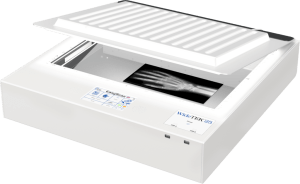
3. Contex IQ FLEX     Best large format inkjet printer, Wide format digital printer, Large plotter

  • Flatbed face down scanning on 18×24 inches scan area.
  • Scan originals up to 24×36 inches (with required software).
  • Up to 1200 dpi optical resolution.
  • Connect wireless or via gigabit Ethernet.
  • Full image area color scanning speed of 6 seconds at 200 dpi .
  • Equipped with a touchscreen computer the size of a small tablet PC allowing you to scan & annotate, simply mark-up changes to drawing on the touchscreen.
  • Priced at $7,396 with optional NextImage scanner operating software.

4. WideTEK 25    

  • Flatbed face down scanning on 18.5×25 inches scan area.
  • Scan originals up to 18.5×25 inches.
  • Up to 1200 dpi optical resolution.
  • Connect via gigabit Ethernet.
  • Full image area color scanning speed of 3 seconds at 300 dpi .
  • 36-bit color data capture.
  • Equipped with 64 bit Linux, Intel quad-core, 8Gig RAM, & 320GB hard drive.
  • Priced at approximately $10,400.

4. Contex HD Ultra X (series)     Contex HD Ultra X 36 & 42 wide / large format scanner, large format printing services, wide printer, large plotter, large format digital printing

  • Roll-fed face down scanning.
  • Depending upon the specific model within the series; this model comes in 36 inch, 42 inch, or 60 inch wide (by virtually any length).
  • Up to 1200 dpi optical resolution.
  • Connect via USB 3.0 or gigabit Ethernet.
  • Color scanning speed of 8.9 or 17.8 inches per seconds at 200 dpi (depending upon the specific model).
  • Can scan artwork that is a maximum 0.6 inches (15 mm) thick.
  • Starting price at $9387 ($10,977 with optional stand & NextImage scanner operating software).

In Summary

If you’re seeking a scanner to preserve and share artwork in high-quality digital format, finding the best large format scanner can be an arduous task.  Yet it’s paramount to accurately capture and showcase your artwork. The first question that you must answer is which of the three main types of wide format scanners: Contact-free, Flatbed, & Roll-fed scanners fits your budget and which features are necessary.

Based in Phoenix, AZ? Our team at Overland Printing offers professional large format scanning services for fine art, maps, and oversized originals — no equipment purchase needed. If you want more help deciding which specific scanner is right for your particular needs, call our experts  at (602) 224-9971 or contact us now, we’re happy to help!

What to Know When Buying Used Wide Format Equipment

The Hidden Dangers of Buying a Used Wide Format Scanner / Plotter

Old Wide Format ScannerWhen it comes to acquiring office equipment like wide format scanners or wide format plotters, many businesses explore the option of buying used devices to save costs. While purchasing second-hand equipment may seem like a prudent decision, it is crucial to consider the potential pitfalls involved. In this blog, we’ll discuss the hidden dangers associated with buying a used wide format scanner or wide format plotter, shedding light on important factors to consider before making such a purchase.

What’s Included?

Do your homework; find out what components are needed for long term operation of the equipment. For example, many wide format scanners require an activation code; if you don’t have it the scanner will not function.  If you are unsure what’s needed, call an expert (at AZ Overland Blueprint) and ask.  Also, make certain that you see the equipment running prior to purchasing so that you can see first-hand that it works properly.

Warranty and Support:

One of the major drawbacks of buying a used wide format scanner or wide format plotter is the absence of a warranty. Unlike new equipment that typically comes with a manufacturer’s warranty, used devices may lack this essential protection. In case of malfunction or breakdown, you may find yourself in a challenging situation with no support or assistance. Repairing such equipment can be expensive, negating the initial cost savings of buying used.

Product Lifespan:

Used wide format scanners or or wide format plotters may have already endured years of service before coming into your possession. As a result, their lifespan and reliability might be compromised. Components like print heads, motors, or sensors may be worn out, leading to frequent breakdowns and costly repairs. The risk of investing in a device that will soon become obsolete or require replacement is a significant concern when purchasing used equipment.

Compatibility:

Perhaps the most important issue is how rapidly technology changes. Wide format scanners or wide format plotters often rely on software and drivers for seamless integration with your existing systems. When buying used, there is a higher likelihood of encountering compatibility issues, particularly if the device is older or lacks updated drivers. Manufacturers’ create drivers with the then current operating systems; however, when a new operating systems is introduced to the public years later, the user of that equipment has to utilize a computer with the older operating system in order to keep using the older equipment. Incompatibility with new operating systems can result in frustrating software glitches, limited functionality, or even complete equipment failure, hampering your workflow and productivity.

Energy Consumption:

With advancements in technology, newer wide format scanners or wide format plotter are designed to be energy-efficient, helping businesses reduce their carbon footprint and operational costs. Used equipment, on the other hand, may consume more power due to outdated technology or less efficient components. The increased energy consumption can lead to higher utility bills and adversely affect your sustainability efforts.

Scalability and Upgrading:

As your business grows, you might find the need to expand your printing or scanning capabilities. However, purchasing a used wide format scanner or wide format plotter can limit your options for scalability. Older models may lack the features and functionalities required to meet your evolving needs. Additionally, upgrading used equipment to accommodate new requirements can be challenging and costly, ultimately hindering your ability to adapt to changing market demands.  Let’s face it, investing in older technology rarely makes much sense.

Conclusion:

While buying a used wide format scanner or wide format plotter may initially seem like a cost-effective solution, it’s important to be aware of the potential pitfalls involved.  The hope that it works, lack of warranty and support, uncertain product lifespan, compatibility issues, higher energy consumption, and limited scalability are all significant concerns when considering used equipment. Before making a purchase decision, carefully evaluate the long-term costs and potential risks associated with buying second-hand devices. In many cases, investing in new equipment might provide better value, reliability, and peace of mind for your business.

If you want more help deciding which type is right for you, or want our expert opinion of which specific plotter &/or scanner is right for your particular needs, call us at (602) 224-9971 or contact us now, we’re happy to help!

What Is DPI; And How Does It Impact Scanning & Printing?

Demystifying DPI: Understanding its Significance in Scanning and Printing

When it comes to scanning and printing, you might have come across the term “DPI” quite often. DPI, or Dots Per Inch, is a crucial concept that determines the quality and clarity of digital images. In this blog post, we will delve into the meaning of DPI and its significance in the world of scanning and printing. By understanding DPI and its relationship to image resolution, you can make informed decisions to achieve the best results in your digital imaging endeavors.

Defining DPI:

What is low resolution ? What details do I look for to be high ...

DPI refers to the number of dots or pixels per square inch in a digital image. It quantifies the level of detail and sharpness in an image. The higher the DPI, the more dots or pixels are packed into each inch, resulting in finer details and increased image clarity.  So, you may be thinking, “Go with as high a DPI as you can!” Well, there’s a draw-back of going too high.

DPI in Scanning:

In scanning, DPI represents the resolution at which a physical document or image is converted into a digital format. When you set the DPI during scanning, it determines how many dots or pixels will be used to represent each inch of the original document. Higher DPI settings capture more detail, but also result in larger file sizes.

DPI in Printing:

In printing, DPI relates to the resolution at which a digital image is reproduced on paper or other media. The DPI setting determines how many dots or pixels will be printed per inch. A higher DPI in printing leads to a more detailed and sharper output, but may also require more ink or toner and result in slower printing speeds.

Image Quality and DPI:

The DPI setting directly impacts image quality. A higher DPI produces a smoother and more accurate representation of the original image, especially for fine lines, small text, and intricate details. For high-quality scans or prints, a higher DPI is recommended. However, keep in mind that excessively high DPI settings may not provide noticeable improvements in image quality and will result in larger file sizes or slower printing speeds without significant benefits.

Balance Between DPI and File Size:

Choosing the appropriate DPI involves striking a balance between image quality and file size. Higher DPI settings generate larger file sizes, requiring more storage space and potentially slowing down file transfer or printing processes. For everyday scans or prints, a DPI range of 200-300 is usually sufficient, providing a good balance between quality and file size. However, for enlarging an image or professional applications when capturing intricate artwork, higher DPI settings may be necessary.

Considering Viewing Distance:

The intended viewing distance of the final printed or displayed image also influences the required DPI. For close-up viewing, such as in fine art prints, higher DPI settings may be recommended to ensure optimal detail and clarity. On the other hand, for large posters or billboards viewed from a distance, lower DPI settings may suffice as the human eye is less likely to discern fine details at a distance.

To put this into context, a person with 20/20 vision viewing an image at a distance of one foot, the estimated highest discernible DPI is approximately only 343 DPI. It’s important to note that this is an estimation based on average visual acuity and ideal viewing conditions. Distance and Individual variations in visual acuity, viewing conditions, and personal preferences may result in slightly different perceived resolutions. However, as a general guideline, a DPI range of 300 to 350 is considered suitable for achieving optimal image quality and detail when viewed at a twelve inch distance.  At a foot and a half the highest estimated DPI for a person with 20/20 vision would reduce to approximately 229 DPI.

In Summary:

DPI, or Dots Per Inch, plays a crucial role in scanning and printing, determining the level of detail, sharpness, and overall image quality. By understanding DPI and its significance, you can make informed decisions when scanning or printing to achieve the desired results. Consider the balance between image quality and file size, the intended viewing distance, and the specific requirements of your scanning or printing project. By optimizing your DPI settings, you can ensure that your digital images and prints showcase the desired level of detail and clarity, bringing your visions to life.

Have additional questions contact one of our printing & scanning experts by calling us at (602) 224-9971 or contact us now, we’re happy to help!

0
    0
    Your Cart
    Your cart is emptyReturn to Shop