Product Sales: 480.430.3376
 Print & Scan Requests: 602.224.9971
 Address: 3301 N 24th St. Phoenix, AZ 85016

Document Scanning Cost Guide for Phoenix Businesses

One of the first questions every business asks about scanning is “how much does it cost per page?” It is a reasonable question, but the honest answer is that per-page pricing only tells part of the story. The total cost of a scanning project depends on what you are scanning, how much preparation is needed, what level of indexing you require, and whether compliance protocols apply.

This guide breaks down the factors that determine scanning costs so you can evaluate quotes accurately and understand what you are paying for.

Typical Per-Page Pricing Ranges

Industry-wide, standard document scanning for letter-size pages typically falls between $0.07 and $0.15 per page. That range is wide because the actual price depends heavily on the factors below. Here is how those ranges generally break down by project type.

Standard office documents (clean, uniform pages, minimal prep): $0.07 to $0.10 per page. This is the baseline for well-organized records in good condition — think neatly filed correspondence, typed reports, or pre-sorted records.

Medical and legal records (mixed formats, compliance requirements): $0.08 to $0.14 per page. Healthcare and legal documents often include a mix of letter-size pages, smaller forms, sticky notes, and multi-part documents that require additional handling. HIPAA or chain-of-custody protocols add security steps that factor into pricing.

Large format documents (blueprints, engineering drawings, maps): $1.00 to $5.00+ per sheet. Oversized documents require specialized wide-format scanners and more careful handling. Pricing depends on the size of the original (24″ x 36″ versus 36″ x 48″, for example) and condition.

Bulk or backfile projects (high volume, 50,000+ pages): Volume discounts typically bring per-page costs to the lower end of each range. The more pages in a project, the lower the per-page rate, because setup and transport costs are spread across more output.

What Factors Affect Your Scanning Cost?

Document Preparation

This is where many projects see costs they did not expect. “Document prep” means removing staples, paper clips, binder clips, and rubber bands; unfolding creased or tri-folded pages; repairing torn pages with tape; separating pages that are stuck together; and removing sticky notes or re-attaching them so they scan properly.

If your records are neatly filed and staple-free, prep is minimal. If they have been sitting in boxes for a decade with mixed fasteners and dog-eared pages, prep time adds up. Some vendors charge prep separately; others build it into the per-page price.

Indexing and Organization

Basic scanning means you get a folder of image files. Indexing means those files are named, organized, and tagged so you can actually find things later. The level of indexing you need directly affects cost.

Basic indexing (file-level naming): Each document or folder is named according to a simple convention — patient name, case number, or date. This is the most common approach and adds minimal cost.

Detailed indexing (field-level metadata): Each document is tagged with multiple searchable fields — patient name plus date of service plus document type, for example. This is more labor-intensive but makes retrieval significantly faster for large archives.

Barcode or separator sheet processing: For high-volume projects, barcode separator sheets can automate document splitting and indexing, reducing manual labor and per-page cost on large batches.

OCR (Optical Character Recognition)

OCR converts scanned images into searchable text, so you can search inside a document rather than just by its file name. Most modern scanning projects include OCR as a standard feature, but for handwritten documents or poor-quality originals, advanced OCR processing may add $0.01 to $0.03 per page.

Compliance and Security Requirements

Healthcare, legal, and financial records require additional security protocols: Business Associate Agreements, chain of custody documentation, encrypted file delivery, and certificate of destruction for originals. These safeguards are necessary and worth the cost, but they do add to the total.

Output Format and Delivery

Most projects deliver searchable PDF files, which is the standard for business document archives. If you need additional formats (TIFF for legal archiving, specific naming conventions for your document management system, or integration with cloud storage), customization may affect pricing.

The Hidden Cost of Not Scanning
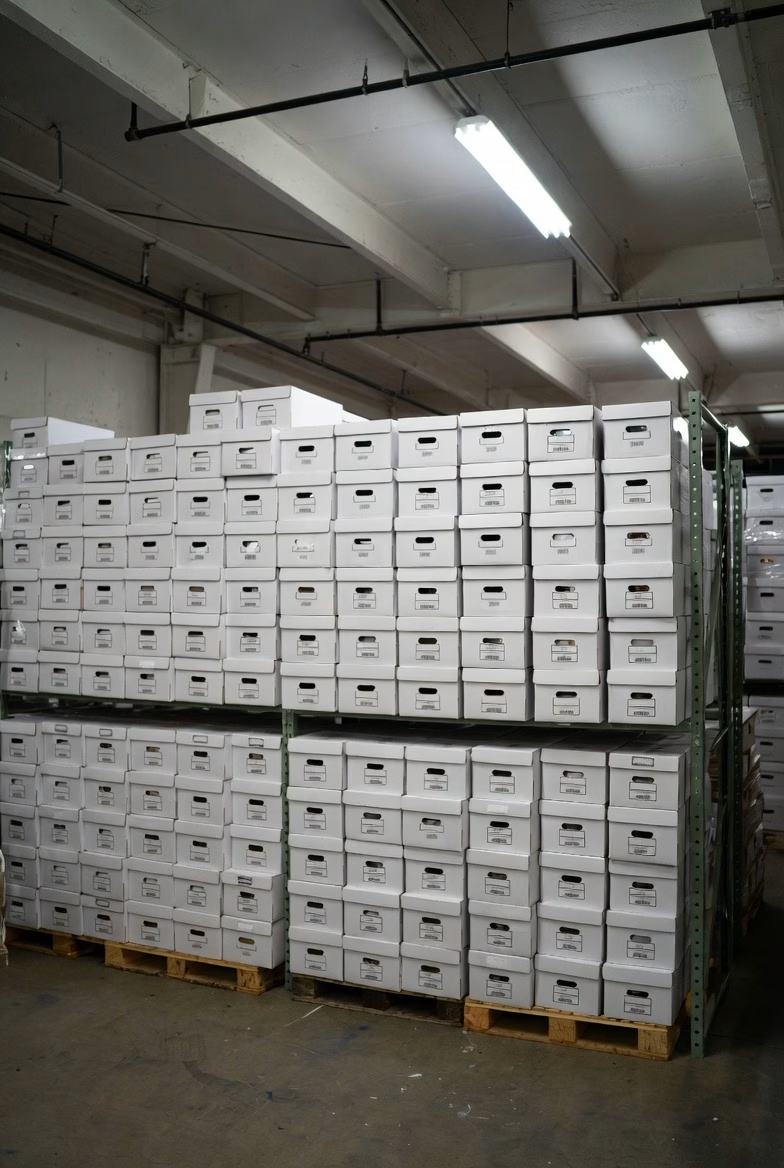
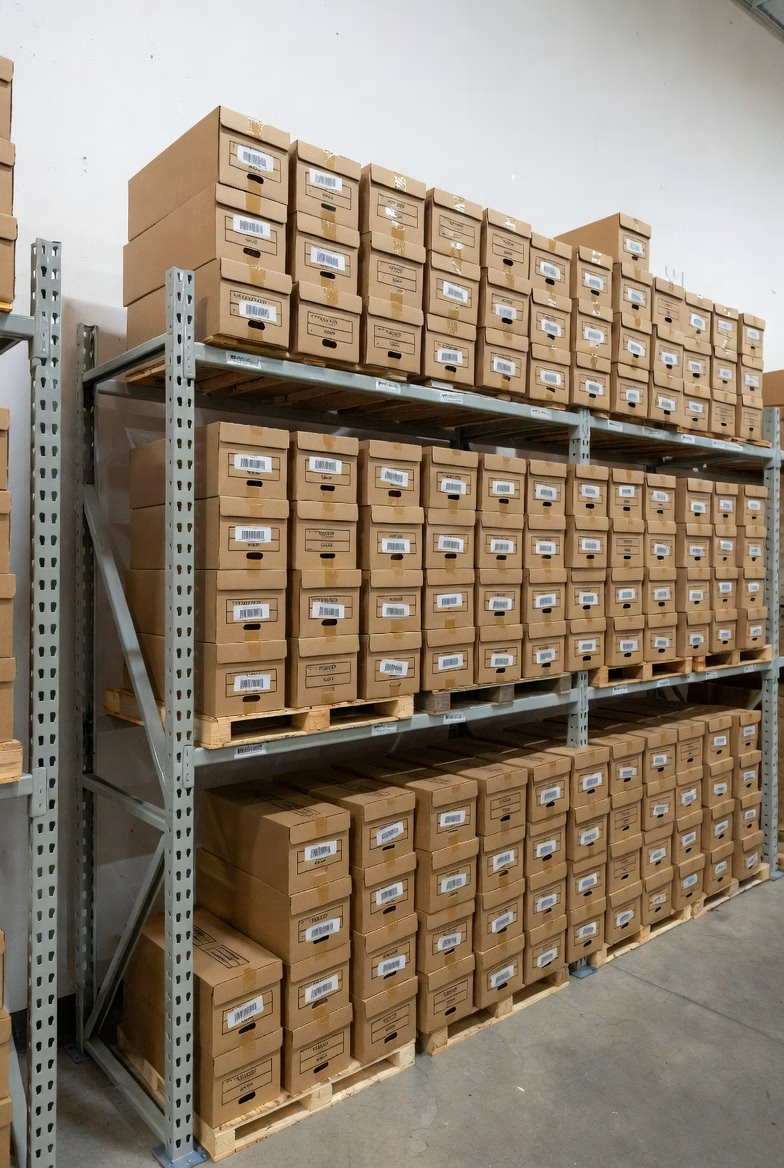
Warehouse filled with banker boxes of documents awaiting scanning at Overland Printing Phoenix facility
Thousands of boxes processed annually at our Phoenix scanning facility.

Before focusing solely on per-page price, consider what paper records cost you right now. Office space in Phoenix averages $25 to $35 per square foot per year. A four-drawer filing cabinet occupies about 8 square feet when you account for the aisle space needed to open drawers. That is $200 to $280 per year just for the floor space, not counting the cabinet itself.

Then there is retrieval time. Studies consistently show that office workers spend an average of 20 to 30 minutes per day searching for paper documents. Over a year, that adds up to over 100 hours per employee — time that could be spent on actual work.

And storage only grows. Every year adds more paper. Scanning stops the accumulation and can eliminate existing storage costs entirely once the backfile is digitized.

How to Get an Accurate Quote

The most reliable way to understand your scanning costs is to get a project-specific estimate. A good scanning vendor will ask you about the approximate number of pages or boxes (a standard banker’s box holds roughly 2,500 pages), the condition and format of your documents, what level of indexing you need, whether compliance protocols apply, and your preferred output format and delivery method.

At Overland Printing, we provide free, no-obligation estimates for every scanning project. We will assess your documents, recommend the right approach, and give you a clear price before any work begins. No surprises.

Want to know what your project will cost? Get a free scanning estimate or call us at 602-224-9971.
Why Construction Companies Need Digital Blueprint Archives

Every construction company has a room, a closet, or a row of flat-file cabinets filled with rolled-up blueprints, shop drawings, and project plans from years or decades of work. These documents represent millions of dollars in project knowledge — and most of them are slowly deteriorating, nearly impossible to search, and one water leak away from being gone entirely.

The construction industry generates more project documentation per dollar spent than almost any other sector. Plans, specifications, as-builts, RFIs, submittals, change orders, and inspection reports pile up on every project. When those records exist only on paper, they become a liability rather than an asset.

Here is why Phoenix-area construction companies are moving to digital blueprint archives — and what the process actually looks like.

The Real Cost of Paper Blueprints

Construction professionals spend an average of 5.5 hours per week searching for project documents. For a project manager billing at $75 to $100 per hour, that is over $20,000 per year in lost productivity — per person. Multiply that across a team and the numbers get serious fast.

But wasted time is only part of the problem. Paper blueprints create several risks that digital archives eliminate.

Version confusion. On any active project, multiple revisions of the same drawing may exist. When those revisions live in flat files or rolled in tubes, it is disturbingly easy to reference an outdated version. In construction, building from the wrong revision means rework, delays, and potential liability.

Physical degradation. Blueprints fade. Large-format drawings crack at fold lines. Mylar yellows. Ink bleeds when exposed to humidity or water. Arizona’s heat accelerates some of these processes, and monsoon season introduces moisture risks that can damage an entire archive overnight.

Limited access. A paper blueprint can only be in one place at a time. When the field crew needs the same drawing that the project manager has spread across their desk, someone waits. When a subcontractor needs reference drawings, someone makes copies. When an owner requests as-built documentation, someone digs through archives.

No disaster recovery. If a fire, flood, or break-in destroys your plan room, those records are gone permanently. For projects still under warranty or facing potential claims, losing the documentation means losing your ability to defend your work.

What Digital Archives Change

Scanning blueprints and project documents to searchable digital files transforms how a construction company manages its project history.

Instant retrieval by project, drawing number, or keyword. Instead of pulling tubes from flat files and unrolling drawings on a table, any team member can search by project name, drawing number, date, or even text within the document. A search that used to take 30 minutes takes 30 seconds.

Access from anywhere. Digital files can be stored in cloud systems or integrated with project management platforms like Procore, PlanGrid, or BIM 360. The field superintendent, the office PM, and the client can all view the same drawing simultaneously from different locations.

Complete revision history. Every version of every drawing can be preserved and organized chronologically. No more guessing which revision is current — the digital archive maintains the full record.

Permanent preservation. A blueprint scanned at high resolution today will be perfectly legible in fifty years. The digital copy does not fade, crack, or get damaged by handling. For firms that need to retain project records for warranty periods, statute of limitations windows, or long-term client relationships, this is critical.

Space recovery. Flat-file cabinets and plan rooms take up valuable office space. A typical five-drawer flat file holds roughly 500 sheets and occupies 20 square feet including access clearance. At Phoenix commercial lease rates, that is $500 to $700 per year per cabinet — space that could house another workstation or meeting area.

What the Scanning Process Looks Like

Bulk document scanning warehouse with shelving of archived business records at Overland Printing Phoenix
Our Phoenix facility handles projects from a single box to thousands.

Large-format scanning is more specialized than standard document scanning, but the workflow is straightforward.

Assessment. The scanning provider reviews your archive to determine the volume, sizes (24″ x 36″, 30″ x 42″, 36″ x 48″, etc.), condition of originals, and how you want the digital files organized.

Preparation. Drawings are unrolled, flattened, and inspected. Torn edges are reinforced. Documents are sorted by project, date, or whatever organizational scheme you prefer.

Scanning. Wide-format scanners capture each drawing at high resolution — typically 200 to 400 DPI depending on the detail level required. Color, grayscale, or black-and-white scanning is selected based on the original.

Processing. Scanned images are cleaned up (deskewed, cropped, contrast-adjusted), converted to searchable PDF or TIFF format, and indexed according to your naming conventions.

Delivery. Files are delivered on a hard drive, uploaded to your cloud storage, or imported directly into your project management system.

Original handling. Depending on your retention needs, originals can be returned, stored, or securely destroyed.

Overland Printing’s Blueprint Heritage

Overland Printing started as AZ Overland Blueprint in 1987, serving Phoenix’s construction and architecture community with blueprinting, plan reproduction, and large-format printing. We have handled hundreds of thousands of construction drawings over nearly four decades.

That heritage means we understand construction documents — not just how to scan them, but how they are used. We know the difference between a shop drawing and an as-built. We know that revision clouds matter. We know that field markups need to be captured, not cleaned away.

When we scan your blueprints, we bring that construction knowledge to every project.

Ready to digitize your blueprint archive? Get a free scanning estimate or call us at 602-224-9971.

How Long Do Arizona HOAs Need to Keep Financial Records?

If you manage a homeowners association in Arizona, your filing cabinets probably tell a story you would rather not think about — decades of meeting minutes, financial statements, architectural review files, violation letters, and governing documents stacked in boxes that nobody wants to organize but nobody dares throw away.

That instinct to hold on to everything is not entirely wrong. Arizona law imposes specific retention requirements on community associations, and some records must be kept permanently. The challenge is knowing which documents fall into which category and making sure they are actually accessible when a homeowner, auditor, or attorney comes looking.

What Arizona Law Requires

HOA records retention in Arizona is governed by two main statutes: ARS 33-1805 (for planned communities) and ARS 10-11601 (which applies to HOAs incorporated as nonprofit corporations, as most are).

Together, these statutes create three tiers of retention requirements.

Records You Must Keep Forever

Certain foundational documents must be retained permanently. These include the CC&Rs (declaration of covenants, conditions, and restrictions), articles of incorporation, bylaws, all amendments to governing documents, deeds, easements, and board resolutions relating to member rights and obligations.

Meeting minutes — both board and member meetings — are also considered permanent records under ARS 10-11601. There is no point at which it becomes safe to discard them.

Records You Must Keep for Seven Years

Financial records fall into this category. While ARS 10-11601 requires financial statements to be available for at least the past three years, the widely accepted best practice for community associations is seven years. This aligns with IRS audit timelines and ensures the association has a complete financial history for budgeting, reserve studies, and potential litigation.

Financial records include annual budgets, bank statements, tax returns, reserve fund reports, vendor invoices, assessment records, collection activity, and insurance policies.

Records You Must Keep for at Least Three Years

Written communications to members generally, notices of meetings, and records of actions taken without a meeting must be maintained for at least three years under ARS 10-11601.

Architectural review applications, violation notices, and routine correspondence typically fall into this category as well, though many associations choose to retain these longer for liability protection.

Homeowner Access Rights: The 10-Day Rule

Arizona law gives homeowners significant access to association records. Under ARS 33-1805, an HOA must make financial and other records “reasonably available for examination” by any member. When a homeowner submits a written records request, the board has ten business days to provide access.

The association may charge up to fifteen cents per page for copies. However, certain records are exempt from disclosure, including privileged attorney-client communications, executive session minutes, and individual member or employee records.

This access requirement is one of the strongest reasons to keep records organized and retrievable. A board that cannot locate requested documents within the ten-day window risks legal complaints and loss of homeowner trust.

Why Paper Records Become a Liability

Most Arizona HOAs accumulate paper records over years or decades of operation. Over time, these records create several problems that go beyond simple clutter.

Retrieval delays. When a homeowner submits a records request, staff or board volunteers must physically search through files to locate the relevant documents. For associations with records spread across multiple boxes, storage units, or management company offices, meeting the ten-day deadline becomes a real challenge.

Transition risks. When an HOA changes management companies — a common occurrence — physical records must be transferred. Documents get lost, misfiled, or damaged during transitions. Some associations discover gaps in their records only when a dispute arises and the relevant paperwork cannot be found.

Disaster vulnerability. Arizona may not face hurricanes, but fire, flooding from burst pipes, and monsoon water damage are real threats to paper archives. Governing documents that must be kept permanently are irreplaceable if destroyed.

Storage costs. A mid-size HOA managing 200-500 homes can easily accumulate dozens of boxes of records over a ten-year period. Offsite storage rental, retrieval fees, and the staff time required to manage physical files add up quietly but consistently.

How Scanning Solves These Problems

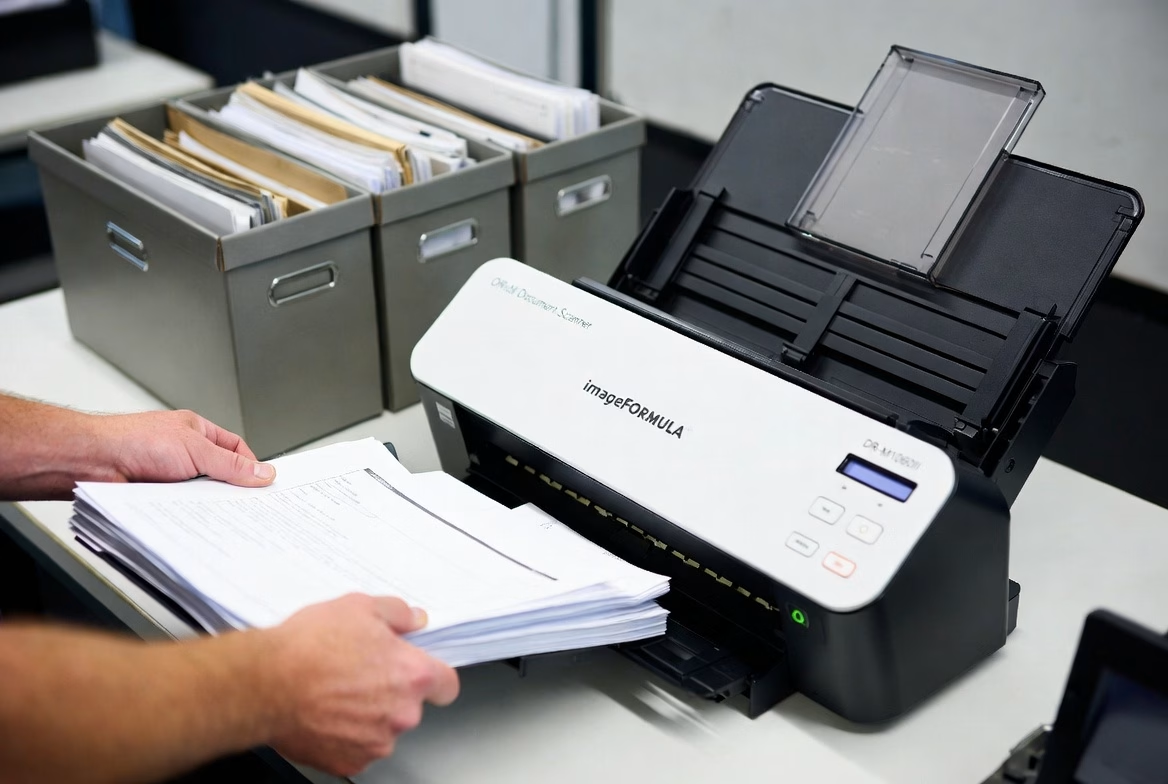
Banker boxes of business documents ready for professional scanning and digitization service
We pick up your boxes, scan to searchable PDF, and deliver organized digital files.

Digitizing HOA records addresses every challenge above while making compliance with Arizona’s retention and access requirements significantly easier.

Instant retrieval. Scanned records stored as searchable PDFs can be located in seconds using keyword search. When a homeowner submits a records request, the response can be prepared in minutes rather than days.

Management transitions. Digital archives transfer seamlessly between management companies. There are no boxes to ship, no pages to inventory, and no risk of documents disappearing during the handoff.

Permanent preservation. Documents that Arizona law requires you to keep forever — CC&Rs, bylaws, meeting minutes — are protected from physical damage when stored digitally with proper backups. The digital copy will be as legible in fifty years as it is today.

Reduced costs. Scanning eliminates the ongoing expense of physical storage and dramatically reduces the staff time devoted to filing and retrieval. For associations paying monthly storage fees, the scanning project often pays for itself within a year.

Board and homeowner confidence. A well-organized digital archive signals professionalism. Board members can access any document from any location, and homeowner requests are handled quickly and completely.

Getting Started: What to Scan First

If your association is considering digitizing its records, the most practical approach is to prioritize by retention requirement.

Start with permanent records. CC&Rs, bylaws, articles of incorporation, all amendments, board resolutions, and meeting minutes. These are irreplaceable and carry the highest risk if lost.

Then financial records. Current and recent fiscal year documents first, working backward through the seven-year window. This ensures your most frequently requested records are available digitally as soon as possible.

Finally, correspondence and administrative files. Violation records, architectural applications, vendor contracts, and general communications. These have shorter retention requirements but are often the most frequently requested.

Protect Your Community’s Records

Arizona’s HOA records requirements are not optional, and the consequences of poor recordkeeping — from homeowner complaints to legal exposure — are real. Scanning your association’s documents is one of the most cost-effective ways to stay compliant, organized, and prepared for whatever comes next.

Overland Printing has served Phoenix-area organizations for over 25 years. We handle high-volume document scanning with secure chain of custody, searchable PDF delivery, and organized indexing — so your board can find any document in seconds, not hours.

Ready to get your HOA records under control? Get a free scanning quote or call us at 602-224-9971.


This article is provided for general informational purposes and does not constitute legal advice. HOA boards should consult with a qualified community association attorney regarding their specific retention obligations.

Arizona Medical Records Retention Requirements: What Healthcare Providers Need to Know

Every healthcare practice in Arizona faces the same question at some point: how long do we actually need to keep these records? The answer matters more than most providers realize. Failing to retain medical records for the required period can expose a practice to malpractice liability, regulatory penalties, and HIPAA violations — even years after a patient’s last visit.

Here is what Arizona law requires and how Phoenix-area practices are staying compliant without drowning in paper.

What Arizona Law Says: ARS 12-2297

Arizona Revised Statutes § 12-2297 sets the baseline retention requirements for all healthcare providers in the state. The rules vary depending on the patient’s age.

Adult patients: Retain the original or copies of medical records for at least six years after the last date the patient received care from that provider.

Minor patients: Retain records for whichever is later — six years after the last date of service, or three years after the patient turns 18. In practice, this means pediatric records can require retention for up to 21 years.

Nursing care institutions: Retain patient records for six years after the date of discharge. The same minor-patient rules apply.

Source data (lab results, imaging, diagnostic data): May be maintained separately from the main medical record but must be kept for six years from the date of collection.

These are minimums. Federal regulations, specialty board requirements, or malpractice insurance policies may require longer retention in certain situations.

What Happens When a Practice Closes or Changes Hands

ARS 12-2297 specifically addresses practice transitions. When a healthcare provider retires or sells their practice, they must take “reasonable measures” to ensure records continue to be retained for the full required period.

This is where many providers get caught off guard. A physician retiring in 2026 who last saw a pediatric patient in 2020 may still need those records preserved until 2038 or later. Simply locking file cabinets in a storage unit does not satisfy the “reasonable measures” standard if those records become inaccessible or deteriorate.

Digitizing records before a practice transition is one of the most reliable ways to ensure continued compliance. Digital files can be transferred to the acquiring practice, stored securely in the cloud, or maintained by a records custodian — all without the risk of physical degradation.

HIPAA Compliance and Record Retention: Clearing Up a Common Misconception

Many healthcare providers assume HIPAA dictates how long medical records must be kept. It does not. HIPAA’s six-year retention requirement applies to compliance documentation — policies, procedures, risk assessments, training records, and audit logs — not to patient medical records themselves.

Patient record retention is governed by state law, which in Arizona means ARS 12-2297. However, HIPAA does impose strict requirements on how records are stored, accessed, and eventually destroyed, regardless of the format. Any practice handling protected health information (PHI) must ensure that physical and digital records are secured against unauthorized access throughout the entire retention period.

This means that a box of patient charts sitting in an unlocked storage closet is a HIPAA violation today, not just a risk for the future.

Why Paper Records Create Compliance Risk

Paper-based records present several challenges that grow more serious over time.

Physical degradation. Paper fades, gets damaged by water or humidity, and becomes brittle. Arizona’s climate helps with humidity, but heat and sunlight can be just as destructive over a six-to-twenty-one-year retention window.

Access control. HIPAA requires that PHI be accessible only to authorized personnel. Controlling access to physical file rooms — especially across multiple offices, during renovations, or after staff turnover — is difficult to audit and easy to fail.

Disaster recovery. A single fire, flood, or break-in can destroy years of irreplaceable records. Without backups, the practice loses both its compliance documentation and its legal protection.

Storage costs. The average medical practice generates thousands of pages per year. Over a six-year minimum retention period, physical storage costs add up quickly — and the space those files occupy could be used for patient care.

How Document Scanning Solves the Retention Problem

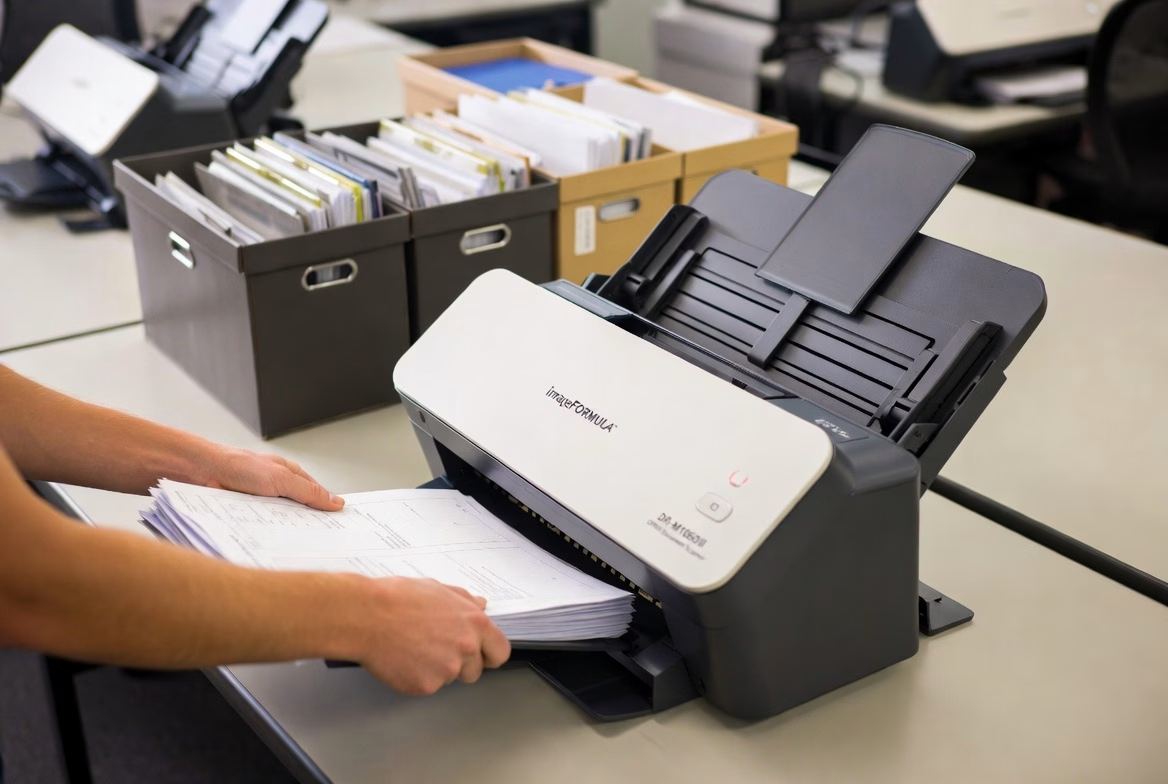
Professional scanning service processing banker boxes of business documents at Overland Printing Phoenix AZ
From banker boxes to searchable digital files — fast turnaround.

Converting paper medical records to searchable digital files addresses every challenge listed above while keeping practices fully compliant with both ARS 12-2297 and HIPAA.

Durability. Digital files do not degrade. A record scanned today will be identical in quality twenty years from now, with proper backup procedures in place.

Access control. Digital records can be protected with role-based access, encryption, and audit trails — exactly what HIPAA requires. Every access attempt is logged, making compliance audits straightforward.

Disaster recovery. Cloud-stored or redundantly backed-up digital records survive physical disasters. Practices can restore their entire archive from a secure backup in hours rather than discovering that decades of records are gone.

Space and cost savings. Scanning eliminates the need for expanding file rooms, renting offsite storage units, or dedicating staff time to filing and retrieval. Most practices recoup the cost of scanning within the first year through reduced storage expenses alone.

Faster retrieval. When records are scanned to searchable PDF format, staff can locate any document in seconds rather than pulling physical charts — improving both patient care and administrative efficiency.

What to Look for in a Scanning Partner

Not every scanning service can handle medical records. Healthcare document scanning requires specific safeguards.

HIPAA compliance. Your scanning partner should sign a Business Associate Agreement (BAA) and demonstrate documented security protocols for handling PHI. This includes secure chain of custody from pickup through scanning, indexing, and delivery.

Experience with medical documents. Medical records come in all sizes and formats — from standard letter-size charts to oversized imaging films and multi-part forms. A scanning provider with healthcare experience will handle these efficiently without damaging originals.

Quality assurance. Every scanned page should be checked for legibility, correct orientation, and proper indexing. Automated quality checks catch blank pages, skewed images, and illegible scans before delivery.

Secure destruction options. After records are digitized and verified, the original paper may need to be securely shredded. A full-service scanning provider can handle this step as well, with certificates of destruction for your compliance files.

Keep Your Practice Compliant — Without the Paper

Arizona’s medical records retention requirements are not going away, and neither is the paper piling up in your file room. Scanning those records is one of the most practical steps a Phoenix-area healthcare practice can take to reduce risk, free up space, and simplify compliance for years to come.

Overland Printing has provided document management services to Phoenix businesses for over 25 years. Our HIPAA-compliant scanning process includes secure pickup, high-quality digitization, searchable PDF delivery, and optional shredding — everything your practice needs to go paperless with confidence.

Ready to get your records under control? Get a free scanning quote or call us at 602-224-9971.


This article is provided for general informational purposes and does not constitute legal advice. Healthcare providers should consult with a qualified attorney regarding their specific retention obligations.

HIPAA-Compliant Scanning Checklist for Phoenix Healthcare Practices

Digitizing patient records is one of the smartest moves a healthcare practice can make — but only if the scanning process itself meets HIPAA requirements. A single misstep in how protected health information is handled during scanning can result in fines, breach notifications, and the kind of attention no practice wants from the Office for Civil Rights.

The good news is that HIPAA-compliant scanning is straightforward when you know what to look for. Whether you are evaluating a scanning vendor or setting up an in-house process, this checklist covers every requirement your practice needs to address.

The 10-Point HIPAA Scanning Compliance Checklist

1. Business Associate Agreement Is Signed Before Work Begins

Any outside vendor that will handle, view, transport, or store documents containing protected health information must sign a Business Associate Agreement before touching a single page. This is not optional and not something that can be handled “after the first batch.” The BAA defines each party’s responsibilities for safeguarding PHI and establishes liability if a breach occurs.

If a scanning vendor hesitates to sign a BAA or does not have a standard template ready, that is a clear signal to look elsewhere.

2. Physical Chain of Custody Is Documented

From the moment records leave your office to the moment scanned files are delivered back, every handoff should be documented. A proper chain of custody log records who picked up the records, when, how they were transported, where they were stored during processing, and who had access at each stage.

This documentation serves two purposes: it satisfies HIPAA’s accountability requirements, and it protects your practice if a question ever arises about how records were handled.

3. Records Are Transported Securely

Patient records should never be transported in open boxes in an unlocked vehicle. Secure transport means locked containers or sealed bins, a dedicated vehicle (not a personal car with other stops), and direct transport from your office to the scanning facility without intermediate storage.

4. The Scanning Facility Has Physical Access Controls

The location where scanning takes place should have restricted access — locked doors, visitor logs, badge or key access, and security cameras. Staff working with your records should be limited to authorized personnel who have completed HIPAA training.

Ask your vendor: who has access to the scanning room? How are visitors handled? What happens to your records overnight?

5. All Staff Handling PHI Have Completed HIPAA Training

Every person who touches your records — from the driver who picks them up to the technician who feeds them through the scanner — should have documented HIPAA training. This is not just best practice; it is a regulatory requirement. Training should be renewed annually and records of completion should be available on request.

6. Digital Files Are Encrypted During Transmission and at Rest

Once your records are scanned, the resulting digital files must be encrypted. This means encryption during transmission (when files are sent to you or uploaded to cloud storage) and encryption at rest (when files are stored on any server or drive). The 2026 HIPAA Security Rule updates make encryption mandatory for all electronic PHI — the previous “addressable” designation no longer applies.

7. Access to Digital Files Is Controlled and Logged

Scanned files should be accessible only to authorized personnel through role-based access controls. Every time someone views, downloads, or modifies a file, that access should be logged. These audit trails are a core HIPAA requirement and are among the first things auditors review.

8. Quality Assurance Verifies Every Page

HIPAA does not just require that records exist — it requires that they be usable. A scanning process should include quality checks to ensure every page is legible, correctly oriented, and properly indexed. Blank pages, skewed images, and illegible scans defeat the purpose of digitization and can create compliance problems if a record cannot be produced when needed.

9. Original Records Are Securely Destroyed (If Applicable)

If your practice chooses to destroy the original paper records after scanning (which Arizona law allows once digital copies exist), that destruction must be done securely. HIPAA requires that paper records containing PHI be shredded, burned, or pulped so that the information cannot be reconstructed. A certificate of destruction should be provided for your compliance files.

10. The Entire Process Is Documented for Audit Readiness

Finally, document everything. Your compliance file should include the signed BAA, chain of custody logs, proof of staff training, encryption specifications, quality assurance reports, and destruction certificates. If the OCR ever audits your practice, this documentation demonstrates that you took reasonable and appropriate measures to protect PHI throughout the scanning process.

Why This Matters More in 2026

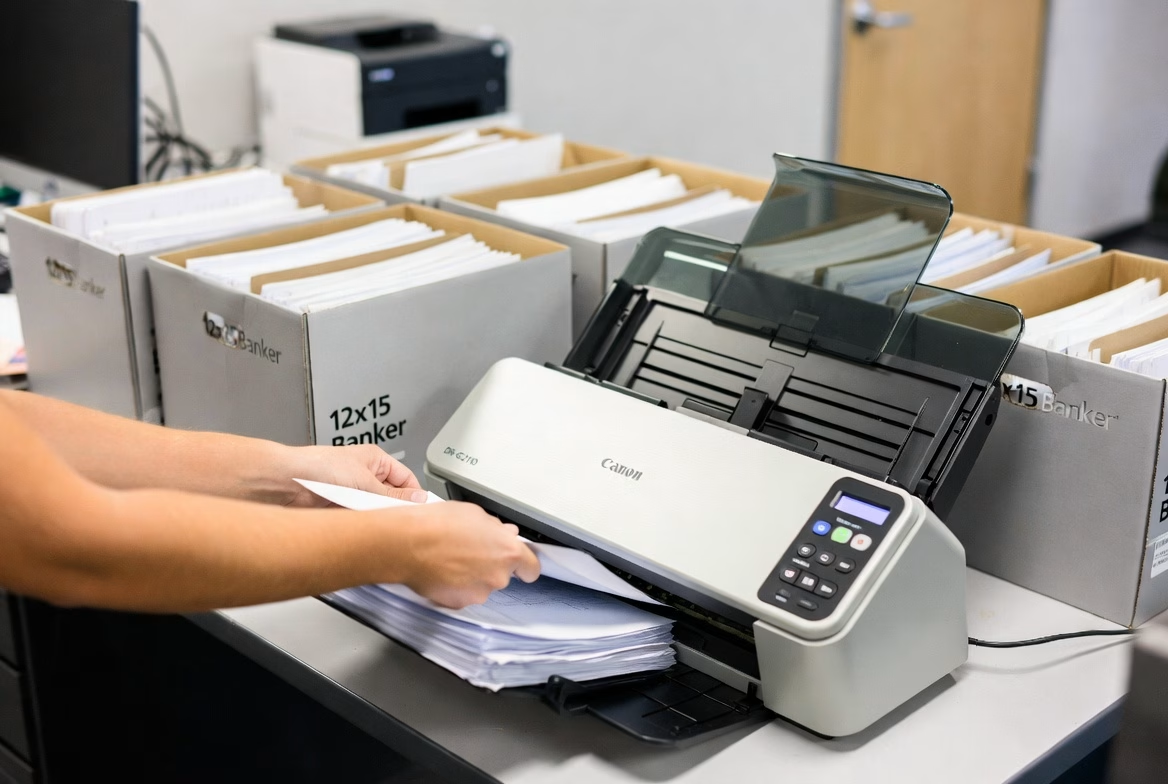
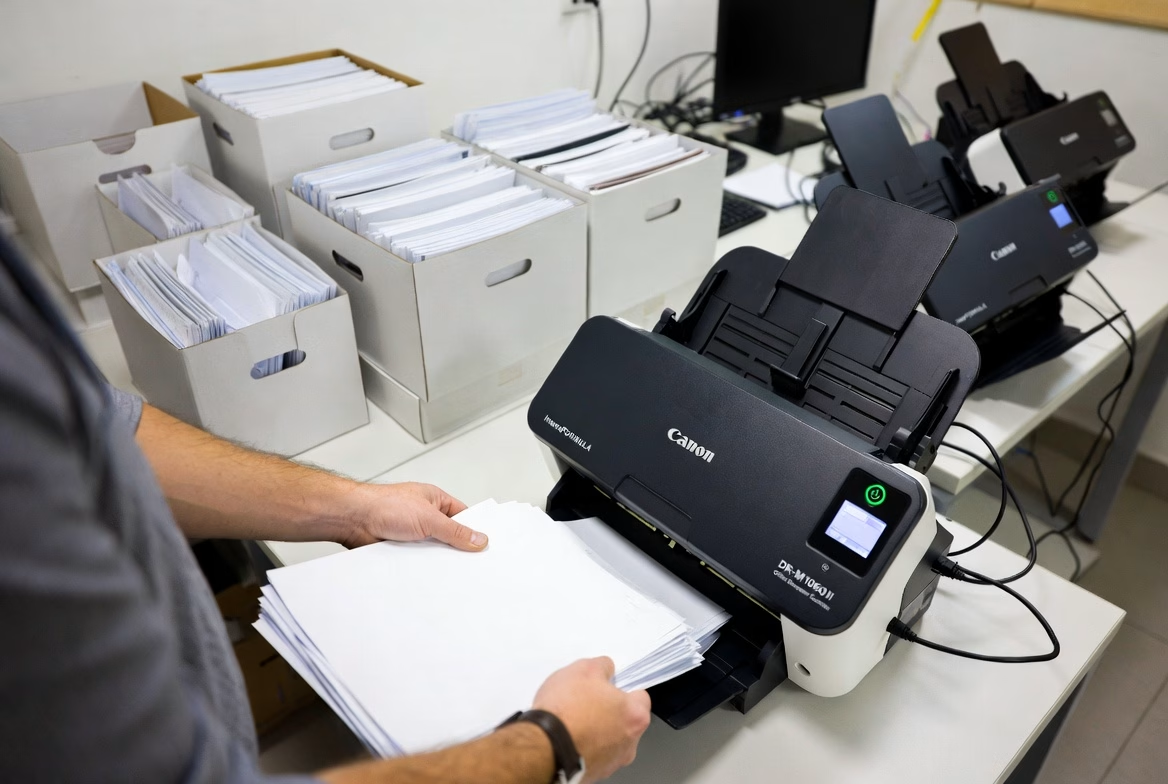
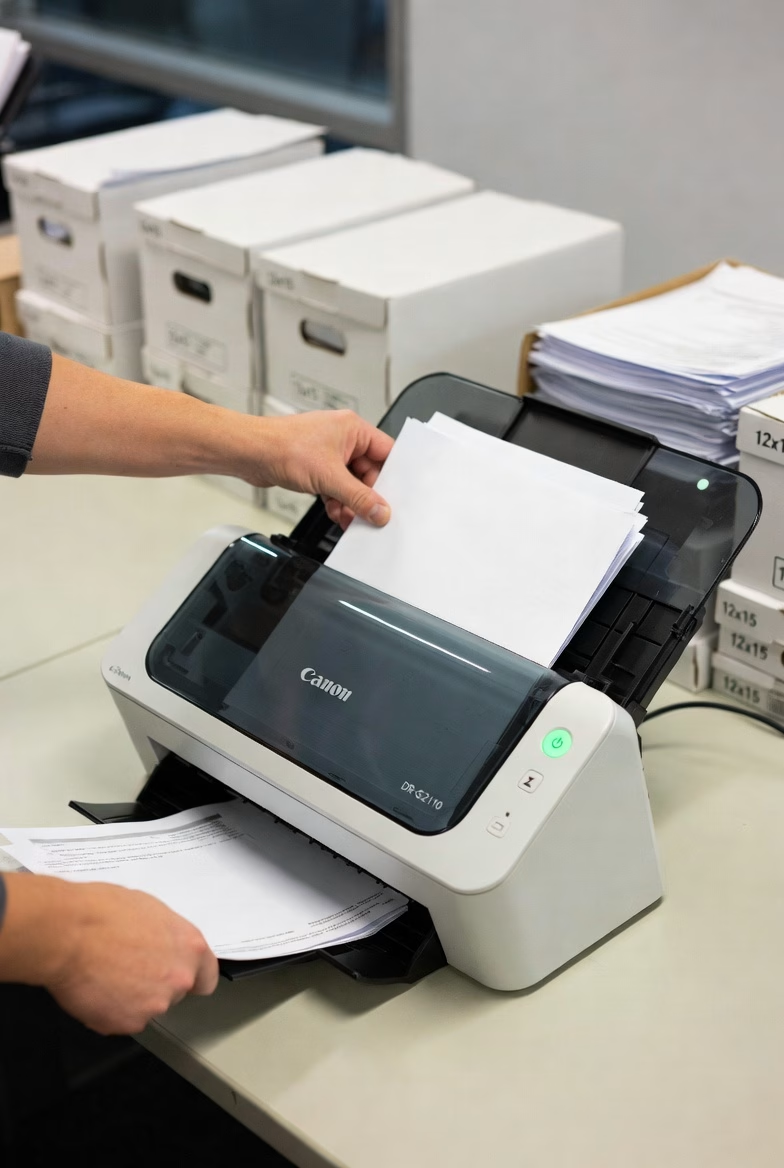
Canon desktop document scanner processing office documents for Phoenix scanning service clients
Desktop scanners handle smaller scanning projects with precision.

The HIPAA Security Rule updates taking effect in 2026 eliminate the distinction between “required” and “addressable” safeguards. Every security measure is now mandatory. Multi-factor authentication, encryption at rest, and documented risk assessments are no longer items your practice can defer. Scanning your records with a compliant partner now puts you ahead of these requirements rather than scrambling to catch up.

A Compliant Partner Makes the Difference

Most healthcare practices do not have the equipment, secure facility, or trained staff to handle a large-scale scanning project in-house. Working with a scanning partner who already has HIPAA protocols in place — and can prove it — is the most efficient path to a compliant digital archive.

Overland Printing provides HIPAA-compliant scanning services to Phoenix-area healthcare practices. We sign BAAs, maintain documented chain of custody, encrypt all digital files, and provide quality-verified searchable PDFs. Our process is built around this checklist from start to finish.

Ready to digitize your records the right way? Get a free scanning estimate or call us at 602-224-9971.

This article is provided for general informational purposes and does not constitute legal or compliance advice. Healthcare providers should consult with a qualified HIPAA compliance professional regarding their specific obligations.

0
    0
    Your Cart
    Your cart is emptyReturn to Shop